

A notification marks an event; it does not establish a threat.
At 2:13 a.m., “front door opened” may mean a family member arrived late, a poorly aligned contact briefly separated, or someone forced entry. A camera clip can be equally incomplete: motion at the porch might be a delivery driver, wind-blown branches, or a person testing the door.
A reliable system is therefore a chain of decisions, not a collection of gadgets: sensor detects, hub receives, connection carries the signal, software interprets it, and a person or monitoring centre decides whether to act. Testing must follow that same path. A perfect door sensor offers little protection if its battery is flat, the hub is offline, notifications are muted, or an alarm operator cannot verify the event. The outcome depends on the weakest link.
- Test a real alarm event from sensor activation through to the intended phone or monitoring response.
- Confirm cellular backup and battery runtime; broadband and mains power often fail together.
The devices in the signal path
Sensor
A contact, motion detector, glass-break sensor, or smoke detector that turns a physical event into an electronic signal.
Control hub
The system’s decision point: it receives sensor data, applies the current arming rules, sounds alarms, and sends alerts.
Zone
A named protection area, such as “front door,” “upstairs windows,” or “garage,” that can be armed or bypassed independently.
Siren
A local deterrent that makes an intrusion unmistakable and may help drive an intruder away before help arrives.
From detection to a response
A typical event follows a simple chain: a sensor detects an opening or movement, the hub checks whether that zone is armed, then it triggers the siren, app alert, monitoring center, or all three. If internet service fails, a hub with cellular backup can still report the alarm.
Cameras and alarms do different jobs. A camera records or streams evidence and can send a motion notification, but its video alone does not necessarily create a burglary alarm. A door contact or professionally monitored motion sensor is designed to produce a clear alarm event; camera verification may then help confirm what happened.
Arming while people are home
Systems commonly offer Away mode, which arms perimeter sensors and interior motion detectors, and Stay mode, which arms doors and windows while leaving interior motion sensors off. Zones make this practical: the ground-floor windows and exterior doors can remain protected overnight while normal movement continues upstairs. Before relying on a setup, each zone should be tested with the intended mode and named clearly in the app.
What happens when the front door opens
A contact sensor is usually the first device to notice the door: its magnet moves away from the sensor body, changing the zone from closed to open. The hub receives that state change and checks the active rule, not merely the fact that a door moved.
Access event or alarm
An authorized unlock can start useful automation: disarm the entry zone, switch on hall lights, and have the doorbell camera record a clip. A valid code, phone credential, or scheduled arrival may supply the context. The camera records evidence; it does not, by itself, confirm that the person entering is authorized.
If the system is armed away and the door opens without a recognized disarm action, the hub begins the entry delay. Disarming before the timer ends stops escalation. Otherwise, it activates the siren and sends an alarm event to the app or monitoring center.
Details that make the rule dependable
- Keep the sensor and magnet within the maker’s specified gap; a warped door or loose trim can cause intermittent opens.
- Mount both pieces on surfaces that stay aligned through the door’s full swing.
- Confirm the smart lock latches freely before relying on auto-lock; a motor cannot overcome a dragging bolt.
- Check lock batteries, camera power, and hub backup power, then test the complete open-to-alert sequence monthly.

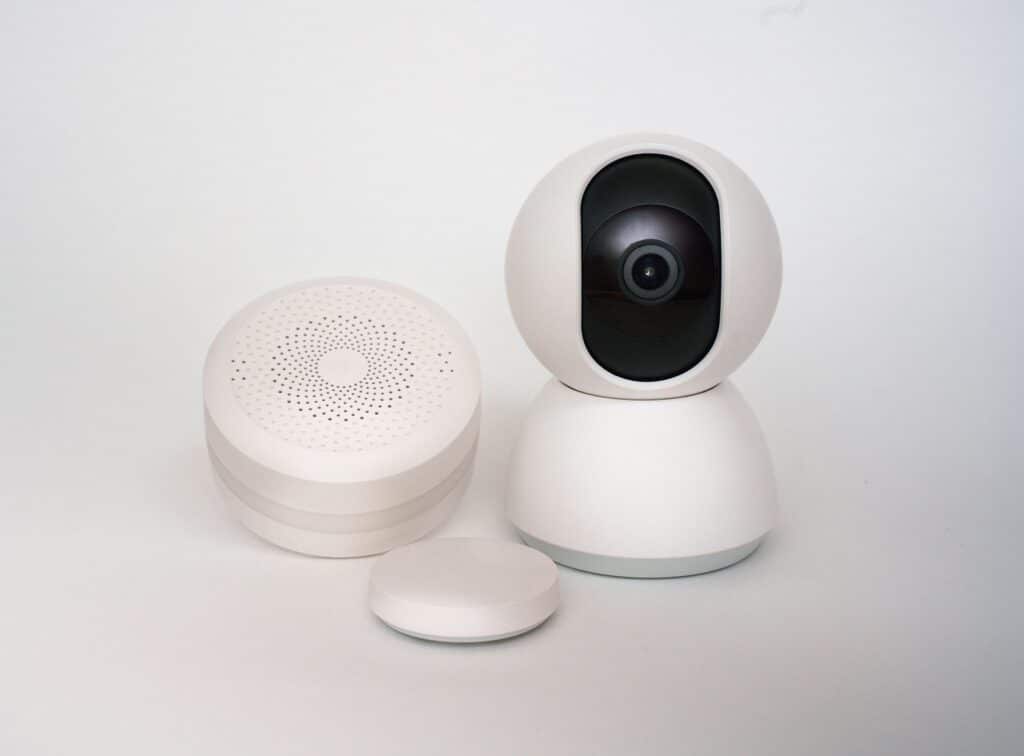
An alert is a clue, not a verdict
A motion alert means that a device detected a pattern consistent with movement—not that it identified a person or a break-in. A PIR sensor responds to changing heat; radar senses movement through reflected radio waves; camera analytics classify pixels. Each method has different blind spots.
Alert quality depends heavily on installation conditions:
- Framing: A camera aimed across a walkway sees a person longer than one aimed straight down it. Keep key approaches, not empty sky or busy roads, in view.
- Light: Headlights, low contrast, infrared glare, and a bright window behind a subject can defeat video-based person detection.
- Weather: Wind-blown branches, rain, snow, insects, and heat shimmer create outdoor triggers or obscure footage.
- Pets: Pet-immunity settings reduce nuisance alarms, but a cat climbing furniture or a large dog near a sensor can still activate a zone.
Video should answer practical questions: What moved? Where did it come from? Did it approach an entry point? It cannot compensate for weak alarm rules. Door and window contacts, correctly placed motion zones, arming schedules, and entry delays remain the system’s primary decision layer. Test alerts after dark, in typical weather, and with household pets present; then adjust sensitivity, activity zones, and notification rules before relying on the system.

What still works when the network fails
A door contact usually reaches its hub over low-power radio—often a proprietary 433 MHz link, Z-Wave, Zigbee, or Thread. That short-range path does not depend on home Wi-Fi or broadband, but it does depend on the sensor battery, radio range, and a powered hub.
With mains power available, the hub can apply its armed-state rules locally: sound a siren, turn on a paired light, or record an event to compatible local storage. A hub with a backup battery can often continue those basic jobs during a blackout. A smart lock may still accept a PIN or physical key, but app control commonly disappears when its bridge or hub is offline.
Wi-Fi is a separate dependency. Most cameras need it to reach the router; the router and modem then need power and an internet service connection for live viewing, cloud clips, and phone notifications. Some cameras keep recording to a microSD card without internet, but only while the camera itself has power.
Internet loss does not necessarily stop a professionally monitored alarm. A hub with cellular backup can send alarm signals through a mobile network when broadband fails. It cannot help if the hub battery is flat, cellular reception is poor, or the monitoring plan has not enabled cellular service.
A useful resilience test is to identify the exact promise: local alarm, local recording, app alert, or dispatcher call. They are not interchangeable.
Test the failure paths before relying on them
-
Confirm the hub’s backup runtime
Check the stated battery duration and test that a door opening still triggers the local siren with mains power removed.
-
Unplug the modem and router
Verify which cameras retain local recording and whether the hub switches to cellular for monitored alarms.
-
Check cellular signal at the hub
A backup radio needs usable carrier coverage where the hub is installed, not merely good phone service outside.
-
Inspect power at every link
Place the hub, router, modem, network switch, and any wired camera power supply on appropriate backup power if continuous operation matters.
What the camera actually saves
A notification is only a message that an event may have occurred. It may arrive with a still image, but it does not prove a usable video record exists. Live view is a real-time stream; it can fail during weak Wi-Fi and usually cannot be replayed unless recording is enabled.
An event clip is a short, motion-triggered file. Continuous recording preserves the full timeline, making it possible to see what happened before motion was detected. Check both the retention period and whether clips are downloadable before they expire.
- Cloud storage: easiest remote review and off-site protection, but commonly requires a plan and sends footage through the vendor’s service.
- Local storage: footage stays on a microSD card, hub, or recorder; lower recurring cost and stronger control, but theft, failure, or full storage can erase evidence.
- Subscription-free systems: may still limit remote playback, smart detection, or history length.
Treat vague storage claims as a warning sign. So are forced account sharing, no two-factor authentication, unclear deletion rules, and vendors that stop publishing security updates. Use a unique password, enable MFA, and remove old household members and installers from the account.
Common assumptions that cause missed footage
Alerts can arrive without a saved clip.
The camera may be offline, asleep, out of storage, or on a plan without recording.
Retention is limited and account access controls the archive.
Footage can be deleted automatically or exposed through a compromised account.
Local systems trade convenience for on-site responsibility.
Remote viewing and backup may be limited, while the recorder needs protection and maintenance.
From alarm signal to a real response
When an armed entry sensor opens, the hub usually starts an entry delay—often 30 to 60 seconds—so an authorized person can disarm with a code, app, or key fob. If it is not disarmed, the system records an alarm event and may sound the indoor siren immediately or after the delay expires.
A self-monitored system then sends push alerts, texts, or calls to the account holder. Cameras may provide a live view or recorded clip, but the owner or designated contact decides whether the situation warrants calling police, fire, or medical services. A missed phone notification is therefore a real weak point.
With professional monitoring, the alarm reaches a monitoring center through broadband, cellular backup, or both. An operator follows the account’s response plan: checking alarm type, reviewing available video or audio where the service supports it, then calling listed contacts or requesting a passcode. An incorrect code, confirmed threat, panic alarm, fire signal, or inability to reach contacts can lead to dispatch.
Dispatch is not automatic in every case. Local rules, alarm permits, verified-response policies, the event type, and the monitoring provider’s protocol all affect whether police or fire services are called. Contacts should be kept current, and every adult who may enter should know the disarm code.
Place the system in test mode twice a year. Confirm that the hub receives the sensor event, the delay is correct, alerts arrive, and the monitoring center has current contacts and passcodes.
Match the system to the property
A primary home benefits most from friction-free legitimate entry. Give each resident a unique lock code, set time-limited codes for cleaners or dog walkers, and revoke them rather than sharing a master PIN. Pair the lock with a disarm rule only when the lock reports a confirmed unlock—not merely when a phone enters the area.
Pet filtering deserves field testing. Mount pet-immune motion sensors at the specified height, keep furniture out of their detection field, and walk the pet through the room while armed in test mode. A 70-pound dog jumping onto a sofa can defeat a sensor rated for a smaller pet.
A remote home needs redundancy before convenience: cellular backup, hub battery power, local siren, and professional monitoring or a reliable local keyholder. Confirm the lock has a physical keyway or external emergency-power option, and store the mechanical key with a trusted person nearby.
Finally, choose the ecosystem deliberately. A lock, doorbell, hub, and voice platform may share an app yet still lack useful alarm automations. Test real routines—unlock, disarm, camera recording, and outage recovery—before depending on them.
Prove the whole chain before relying on it
-
Trigger every protected opening
Arm the intended mode, open each door and window, and confirm the correct zone name, entry delay, siren, and app alert.
-
Verify the evidence
Walk through camera coverage in daylight and darkness. Confirm that the clip starts early enough, is viewable remotely, and remains available after the expected retention period.
-
Test failure conditions
Disconnect broadband, then restore it; simulate a power outage where safe. Check battery-backed operation, cellular fallback, local recording, and the alerts that do—or do not—arrive.
-
Call every response contact
Confirm contact order, phone numbers, monitoring instructions, property address, and who holds keys or codes. Test cancellation only through the approved method.
-
Repeat after every change
Retest after firmware updates, router replacements, new locks, altered furniture, or revised household routines. Record results and correct failures before re-arming.
Avoid unannounced live dispatch tests; arrange them with the monitoring provider first.
- A camera notification alone does not prove that an alarm can be received or acted on.
- Outage testing exposes dependencies that normal daily use hides.
A trustworthy installation is demonstrated end to end: entry event, alarm rule, notification, video, backup operation, human response, and cancellation. Regular, deliberate retesting matters more than adding another device.