

To truly experience next-gen gaming, your audio needs to be as sharp as your graphics. Investing in one of the top gaming soundbars for PS5 and Xbox means you’re not just playing a game — you’re living inside its world. Whether you’re tracking enemy footsteps in a competitive shooter or soaking in the atmospheric score of an open-world RPG, a dedicated gaming soundbar delivers the spatial audio and deep bass that standard TV speakers simply cannot match. By prioritizing low-latency connections and immersive formats like Dolby Atmos, these soundbars provide a competitive edge while cutting the clutter of traditional home theater systems.
Choosing the right gaming soundbar involves more than picking the loudest option — it requires a balance of connectivity, driver configuration, and console compatibility. This guide evaluates top performers based on critical factors such as HDMI 2.1 passthrough, VRR support, and eARC integration for seamless 4K/120Hz gaming. From the room-filling heights of the Sonos Arc to the tactical precision of the Sony HT-A7000, we break down the pros, cons, and essential calibration tips for each model — helping you find the audio centerpiece that transforms your PS5 or Xbox Series X setup into a high-fidelity gaming powerhouse.
Why the Right Soundbar Matters for Your PS5 or Xbox
Elevate Your Experience with Gaming Soundbars
You invest in a high-performance console; your audio should match. A capable gaming soundbar transforms spatial audio, sharpens directional cues, and deepens immersion without the fuss of a full surround rig. It also reduces clutter and simplifies console hookups. Boosts performance.
This guide helps you pick the best gaming soundbar for your PS5 or Xbox. We focus on low latency, support for immersive formats like Dolby Atmos and DTS:X, reliable HDMI passthrough, and practical setup. Expect concise comparisons, real-world pros and cons, and actionable calibration tips so you can game with confidence using the best gaming soundbars.
When choosing gaming soundbars, consider factors like sound quality, size, and compatibility with your gaming setup.
How We Evaluated Soundbars for Console Gaming
Your choice of gaming soundbars can significantly enhance your gameplay.
For a truly immersive experience, the right soundbar can elevate your setup considerably — from spatial audio and deep bass to low-latency performance that keeps pace with fast-paced gameplay. Let’s look at the top options and find the one that best fits your needs.
Latency & HDMI passthrough
The best gaming soundbars can take your console gaming to the next level.
You want audio that follows the controller — not lags behind it. We measured end-to-end audio latency (target <20 ms) using tone sync tests and by checking input lag with and without soundbar engaged. We also confirmed whether a unit truly passes 4K/120Hz and VRR from PS5/Xbox when the bar is between console and TV (many cheaper units introduce video-handshakes that force lower refresh rates).
Immersive codec support
Bass and subwoofer performance
Low-frequency impact matters for explosions and rumble. We looked for dedicated subwoofers or measured LF extension (good bars reach near 40 Hz) and distortion at gaming levels (aim for low THD at typical listening volumes). Examples: integrated-bar systems that top out around 60–80 Hz feel thin compared with models that include a separate sub.
Discrete surround capability
When evaluating gaming soundbars, we prioritized native decoding and clean passthrough of Dolby Atmos, DTS:X, and multichannel PCM. In practice, that meant checking both the spec sheet and real-world behavior: can the bar accept Atmos bitstreams from the console via eARC/HDMI and render discrete height cues, or does it downmix to stereo? The best models handle this seamlessly, delivering true spatial audio rather than a watered-down stereo mix.
Room calibration & measurements
Automatic room correction and height-channel tuning — tested via microphone or app-guided sweeps — were evaluated across different layouts: couch-centered, off-axis, and large living-room setups. The best models with built-in calibration noticeably tightened imaging and reduced boomy bass, adapting well across all three environments.
Practical connectivity & usability
We checked HDMI eARC/ARC, optical fallback, Bluetooth, USB, game-specific presets, and app and remote ergonomics. Before buying, always test with your PS5 or Xbox set to bitstream/auto and the bar in passthrough mode to verify real-world behavior. For a closer look at models that deliver a genuinely immersive audio experience, the options below are worth your attention.
How we validated with consoles
Beyond specs, we cross-checked manufacturer claims with independent reviews from sources like Rtings and Sound & Vision, alongside hands-on tests using Atmos demo tracks and effects-heavy in-game scenes — ensuring each model preserves spatial cues and keeps controller-to-audio timing intact.
Sonos Arc — Best for Atmos-First, Music-Friendly Gaming
What the Arc brings to console play
If you want broad, room-filling Atmos that also sounds superb with music and streaming, the Sonos Arc stands out at the premium end. Its upward-firing drivers and refined spatial upmix render convincing height cues — helicopter rotors, rain, overhead ambience — in most living room layouts. You’ll also get a clear midrange that helps dialogue-heavy scenes land, useful in story-driven games, along with low distortion at both conversational and gaming volumes.
How to set it up for PS5/Xbox (practical steps)
When you’ll want the Sonos Sub
The Arc’s integrated bass is tight but limited below roughly 50 Hz. If you play rumble-heavy titles — racing games, big-budget shooters, or anything destruction-heavy — adding the Sonos Sub restores the impact and physicality that the bar alone can’t fully deliver. In living-room testing, explosions gained a noticeable punch once the Sub joined, making it one of the more complete setups you can build around a single bar.
Ecosystem, calibration, and trade-offs
Trueplay (on supported devices) tailors output to your room and simplifies tuning. The Arc is an excellent choice if you value multi-room music and a polished presentation, but note it lacks direct HDMI 2.1 inputs — you’ll rely on TV passthrough for 4K/120Hz and VRR. If you need direct console-to-bar HDMI 2.1 handling, the next section covers models with closer console integration.
Sony HT-A7000 — Best for Native Console Synergy and Spatial Precision
Why it stands out
The HT-A7000 is worth considering if you want a sound signature tuned for cinematic impact and positional clarity, particularly with PlayStation mixes and Atmos-enabled titles. Its emphasis on height channels and a wide, forward soundstage makes footsteps, distant gunfire, and overhead effects easier to localize. The clear midrange also keeps dialogue and in-game chatter intelligible — a tangible advantage in narrative-driven games and multiplayer matches where sound cues matter.
Quick setup & calibration (practical steps)
When to add wireless subs or rear speakers
Trade-offs & who should buy it
If you want a polished, console-friendly soundstage with an easy upgrade path, the HT-A7000 is a strong pick—next, we’ll compare that immersive focus with a Samsung flagship built for full-spectrum surround.
Samsung Flagship Soundbar — Best for Full-Spectrum Immersive Surround
What makes it stand out
If you want a single box that behaves like a discrete home theater, Samsung’s flagship gaming soundbars (HW-Q990C, HW-Q950A, and later Q-series models) deliver. You get upfiring drivers, a beefy wireless subwoofer, and dedicated wireless rear speakers in one SKU — so height, depth, and lateral imaging are genuinely present without running speaker wire. Features that matter for console gaming:
Practical setup & quick wins
Real-world perspective
In fast matches I played, the lateral width and credible height cues helped me track footsteps and aerial flyovers more reliably than any virtualized two-channel bar I’d tested — a clear advantage these gaming soundbars hold over simpler setups. The trade-off is size and cost — you’re effectively buying a compact 5.1.4 system.
Next up: if you prefer tighter dialogue and a refined, less theatrical presentation, the Bose Dolby Atmos soundbar takes a different, more clinical approach.
JBL Bar with Detachable Surrounds — Best for Flexible, Expandable Home Theater and Gaming
Why the detachable approach helps you
You’ll value the modular design when your living room doubles as a den: start with a tidy two- or three‑piece layout for daily play, then snap on the wireless rear modules for movie night or a big multiplayer session. JBL’s detachable-surround gaming soundbars (notably the JBL Bar 9.1 and 5.1 True Wireless Surround variants) give you that physical flexibility without buying a separate set of rear speakers.
What to look for in the spec sheet
Quick setup and calibration tips
In conclusion, gaming soundbars are essential for enhancing your gaming experience and ensuring you hear every detail.
Real-world gaming notes
In fast FPS sessions you’ll notice explosions and weapon fire feel visceral thanks to JBL’s bass emphasis — one of the strengths these gaming soundbars are known for. Detachable rears add clearer lateral cues for footsteps. Virtual surround modes can widen the stage in small rooms, but always test with and without virtualization to find the tightest positional response for competitive play.
Bose Dolby Atmos Soundbar — Best for Clear Dialogue and Refined Presentation
What to expect from a Bose Atmos soundbar
With Bose gaming soundbars — for example, the Bose Smart Soundbar 900 paired with a Bass Module 700 — you’ll get a refined, articulate signature that prioritizes dialogue and imaging over theatrical coloration. Voices sit forward and intelligible, midrange detail is clean, and Atmos height cues are believable without sounding exaggerated — useful when a whispered line or distant footstep can change how you react in a story-driven or competitive match
Practical setup and tuning tips
When to add a subwoofer or surrounds
Bose gaming soundbars trade bone-rattling low end for clarity — so add a Bass Module (500/700) if you want thunder in explosions. For wider lateral cues in multiplayer, add Bose wireless surround speakers; they widen the stage without compromising the bar’s articulate core.
Real-world note: in voice-heavy titles like The Last of Us or tactical shooters, this setup keeps callouts and environmental sounds distinct for longer play sessions. Next, we’ll dive into hands-on calibration steps you can apply to any console/soundbar setup.
Practical Setup, Calibration, and Settings to Optimize Your Console Sound
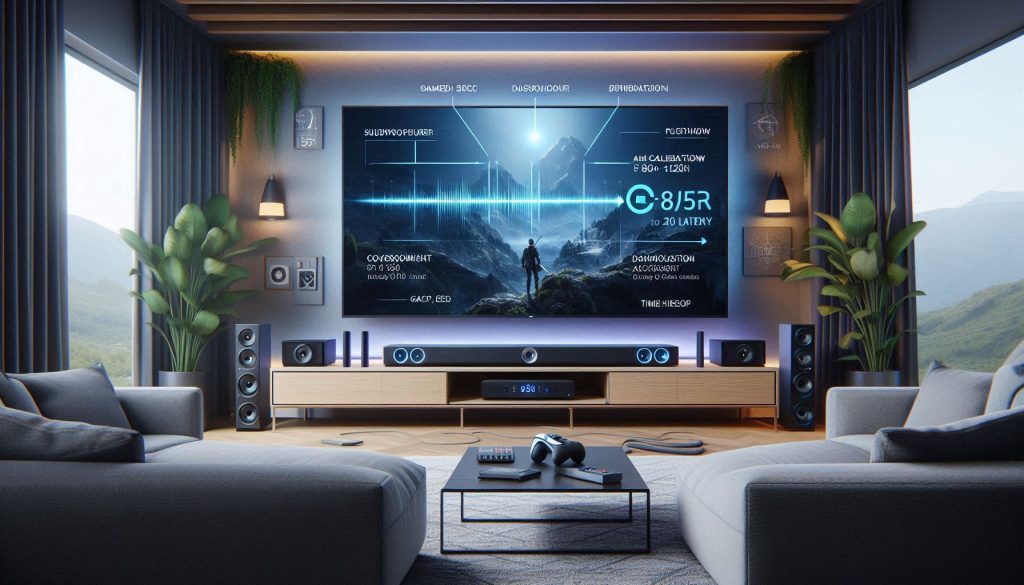
Connection and signal flow
Start by deciding your signal path: TV to soundbar to speakers, or console to soundbar to TV. Prioritize HDMI eARC between your TV and soundbar so Atmos and multichannel PCM survive intact. If your bar has passthrough-capable HDMI inputs — common on flagship Samsung and JBL models — consider connecting the console directly to the bar to preserve HDR and Hz handshakes and reduce intermediary processing. Note that optical limits you to compressed surround formats.
Console and soundbar settings
Ultimately, the right soundbar delivers better spatial audio, tighter bass, and cleaner dialogue that keeps you locked into every scene and match. If you’re ready to elevate your setup, there’s never been a better time to choose . On your PS5/Xbox, set audio output to bitstream/passthrough when available and pick the highest compatible codec (Dolby Atmos, DTS:X, or multichannel PCM). In the soundbar menu, enable:
These two steps together preserve positional cues and keep input lag minimal.
Room calibration and latency
Run the soundbar’s automatic room-calibration routine (Sonos Trueplay, Bose ADAPTiQ-style or manufacturer equivalents). It adjusts EQ, time alignment and level per speaker location. If the bar offers manual distance tweaks, set them to the actual measured distances for your main listen position to tighten imaging.
Dialogue and bass management
If dialogue is muddy, activate a dedicated Voice/Dialog Enhancement preset—this targets midrange clarity without wrecking tonal balance. Avoid cranking treble; that induces fatigue.
For bass:
Validation tests — what to play
Test with a surround-heavy adventure (e.g., Horizon, God of War) to evaluate imaging and height cues, then switch to a fast FPS (Call of Duty, Rainbow Six) to verify latency and positional accuracy. If footsteps blur or gunfire sounds “behind” you inaccurately, revisit distance/time alignment and low-latency modes.
When these steps are complete, you’ll have a tuned profile ready to compare across the models in the Conclusion.
Choosing the Right Soundbar for Your Playstyle
Your ideal choice depends on whether you prioritize raw positional accuracy, cinematic immersion, music fidelity, or flexibility. Use the evaluation criteria and setup guidance above to match a model to your room. Start with low latency and proper HDMI passthrough — they directly affect timing and feature compatibility on PS5 and Xbox. Then decide whether you need expandability with satellites and a subwoofer, or a compact, music-friendly solution that emphasizes clarity and refined imaging.
Test latency, confirm object formats like Atmos, and adjust EQ and placement until in-game cues feel immediate. Choose based on what you play, and listen carefully.