
Choosing the right home audio system often comes down to a battle between cinematic power and ecosystem flexibility. In the world of premium audio, the Samsung vs. Sonos soundbars debate centers on two distinct philosophies: Samsung’s “all-in-one” approach, which offers high-performance hardware and immersive Dolby Atmos packages at a competitive price, versus Sonos’s modular, software-driven ecosystem known for its legendary multi-room connectivity and sleek design. Whether you are looking to turn your living room into a private cinema with a flagship Samsung Q-Series or seeking the refined, expandable audio of a Sonos Arc or Beam, understanding the technical trade-offs in sound stages, connectivity, and long-term value is essential for making an informed investment.
This comprehensive guide provides a data-focused comparison to help you navigate the complexities of modern soundbar technology. We break down the key metrics that matter most—from frequency response and dialogue intelligibility to eARC compatibility and smart home integration. By analyzing product families, real-world audio performance, and total cost of ownership, we aim to match the perfect sound system to your specific room acoustics and content habits. Whether you’re a dedicated gamer, a movie enthusiast, or a music lover, this head-to-head overview will give you the clarity needed to choose the system that best elevates your home entertainment experience.
Head-to-head overview: what this comparison will do for you
You’ll get a structured, data-focused comparison of Samsung and Sonos soundbars so you can quickly identify which option aligns with your priorities. This article covers six practical areas: product families and ecosystems, measured audio performance and listening priorities, design and everyday use, connectivity and smart features, total cost and upgrade paths, and guidance for common real‑world use cases. Each section gives clear metrics, trade-offs, and decision checkpoints.
Use this guide to match a soundbar to your room size, content habits, and budget. You’ll find concise recommendations and the key numbers to compare. Read the sections in order or skip to the one that matters most to your decision. Make better choices.
Product families and ecosystem strategy
How each brand structures its range
Samsung’s soundbars run from compact, value models to flagship multi‑piece systems. Expect entry models (e.g., Q60 series) for TV-centric upgrades, midrange bars (Q70/Q800) that add Atmos processing, and full‑blown premium systems (Q900/Q990) that often ship with a wireless subwoofer and optional or included wireless rear satellites. Samsung favors TV-first features: deep HDMI/eARC integration, Q‑Symphony (where the TV and bar share channels), and sometimes bundled surround kits.
Sonos keeps a tighter, simpler ladder: Ray (entry), Beam (Gen 2) as the versatile mid model, and Arc as the premium Atmos bar. Sonos’ strength is modular multiroom and speaker‑level expansion: you can add a Sonos Sub and pair of Ones or Era speakers for surrounds and whole‑home audio using the Sonos S2 ecosystem.
Modular vs all‑in‑one philosophies
Real‑world compatibility to verify
When you’re shopping, check these concrete items in spec sheets and compatibility notes:
Quick examples
If you want a single box that integrates tightly with a Samsung QLED and uses the TV remote, Samsung’s Q‑series is logical. If you plan to build multiroom audio across rooms with identical control and later add surrounds, Sonos Arc + Sub + One SL is a proven, low‑friction path.
Next up: we’ll translate these ecosystem choices into measurable listening differences — what the numbers and measurements tell you about real‑world audio performance.
Audio performance: measured metrics and listening priorities
You’ll get a data‑driven breakdown of the audio attributes that matter most and how to use measurements alongside listening to pick the right bar for your needs.
Which measurements matter (and what good looks like)
How to interpret numbers with real listening
Numbers tell you headroom and neutrality; listening tells you impact. When you test:
Samsung vs Sonos: tuning philosophies and calibration
Prioritization checklist (quick)
Next, we’ll look at how design and build choices—driver layout, cabinet size, and control ergonomics—affect those measurements and your day‑to‑day experience.
Design, build quality, and everyday user experience

This section covers the physical and practical aspects that shape your daily interaction with a soundbar. You’ll get concrete tips and examples so you can anticipate setup time, placement trade‑offs, and the real‑world conveniences (or annoyances) you’ll live with.
Form factor and materials
Low‑profile bars (Sonos Beam Gen 2, Samsung HW-S60B) tuck under most TVs and minimize visual clutter; full‑depth models (Sonos Arc, Samsung HW-Q990C) are taller, house larger drivers, and typically deliver fuller bass and wider driver arrays. Sonos favors fabric grilles and matte finishes that age well in living rooms; Samsung often uses metal grills and gloss/soft‑touch plastics for a more “tech” look. Tip: if your TV sits low on a cabinet, measure clearance before buying—full‑depth bars can block IR sensors or on‑screen overlays.
Mounting vs tabletop placement
Wall‑mounting gives a cleaner look and can improve imaging if you place the bar close to ear height; use the included brackets and allow 2–3 cm for ventilation. Tabletop placement benefits from simple cable management and easier sub positioning. If you plan rear or height speakers, expect extra routing for power, or choose Sonos’ wireless satellites versus some Samsung kits that use a wireless sub but wired surrounds depending on model.
Controls, displays, and app management
Sonos emphasizes app control and touch buttons (Arc has capacitive controls and a status LED); setup guides you through Trueplay tuning. Samsung supplies more physical remote buttons and often integrates with your TV remote via HDMI‑CEC and one‑touch pairing in SmartThings. Practical tip: keep the vendor app for firmware updates—both brands push improvements that affect daily use.
Latency, lip‑sync, and convenience features
Both brands support HDMI‑ARC/eARC for low latency; lip‑sync issues are usually TV processing: enable eARC, set TV/game mode, or use the soundbar’s lip‑sync adjustment. Samsung’s one‑touch TV pairing can be faster on Samsung TVs; Sonos’ multiroom features make ongoing management and grouping simpler across speakers.
Setup complexity by layout
Quick how‑to: use HDMI‑eARC, run the app calibration, place the sub on the floor near a wall corner for bass reinforcement, and test with a dialogue clip to check lip‑sync.
Connectivity, smart features, and platform integration
You’ll want a soundbar that plays nicely with your TV, phone, and smart home. This section lays out the practical differences between Sonos and Samsung so you can test compatibility before you buy.
Physical and network connections
HDMI‑eARC is the baseline for Atmos and low‑latency TV audio. Examples: Sonos Arc and Beam Gen 2, and Samsung HW‑Q990C all support eARC; lower‑end Samsung models (HW‑S60B) may offer ARC or optical only. Use eARC when possible; fallback to optical loses high‑bit‑rate formats.
Wireless streaming and multiroom
Sonos builds a Wi‑Fi mesh and emphasizes multiroom over the network; AirPlay 2 is supported on Arc/Beam and makes iPhone streaming seamless. Samsung leans on SmartThings, Chromecast‑built‑in or selective AirPlay support on newer models—check the spec sheet.
Voice assistants and smart services
Sonos supports Amazon Alexa and Google Assistant natively on current flagship bars; Siri works via AirPlay. Samsung soundbars often expose voice assistants through TV integration (and some models include Alexa). Streaming service support (Spotify Connect, Apple Music, Tidal) varies by model—test your primary service in the vendor app.
Third‑party and installer control
If you need professional integration, Samsung models more often include IR learning, IP/RS‑232 options or compatibility with third‑party remotes. Sonos prefers network and CEC control; installers usually use network‑based APIs or the TV remote via HDMI‑CEC rather than RS‑232.
Real‑world testing checklist
Before you finalize a purchase, run these quick checks:
Firmware updates can add or remove features—expect parity to shift over time. Once you’ve verified connections and services that matter, you’ll be set to weigh costs and upgrade paths in the next section.
Price, total cost of ownership, and upgrade paths
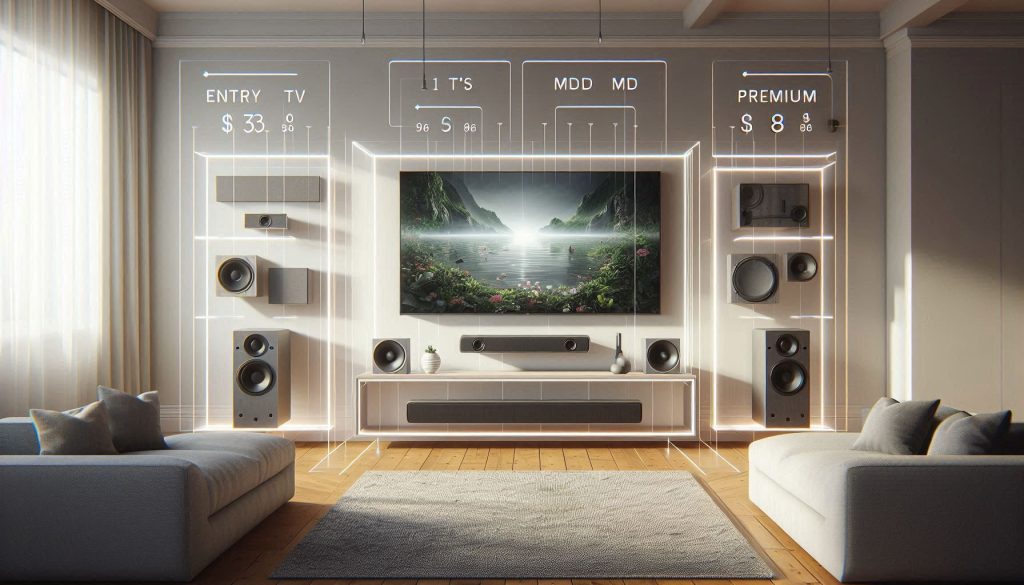
This section gives you a practical view of cost versus long‑term value so you can model whether a bigger up‑front spend saves you money over time.
Price bands and realistic add‑ons
Base soundbars typically sit in three bands: entry ($200–$500), mid ($500–$900), and premium ($900+). Examples: Sonos Beam (Gen 2) is a mid‑band entry into Sonos, Sonos Arc occupies the premium bracket, while Samsung offers everything from inexpensive single‑unit bars to all‑in‑one flagships like the HW‑Q990C that include subwoofers and rear satellites. Crucially, many Sonos systems start with a single bar but expect additional purchases (Sub, One SL rears) to get full surround or extra bass—raising total cost quickly.
Model a true outlay
When planning, add these common line items to the base price:
If you want Dolby Atmos with deep bass and discrete rears, a Samsung premium package may be closer to a single purchase, while a Sonos multiroom surround will often cost more but gives flexible placement and resale options.
Warranty, software support, and resale
Most manufacturers ship 1–2 year warranties; extended plans are available. Sonos has a strong track record of multi‑year software support and feature‑backward compatibility, which preserves value. Samsung issues regular firmware updates but feature lifecycles are more tied to TV ecosystems. Resale: Sonos gear tends to retain value better because of ongoing software support and ecosystem demand—use that when calculating net ownership cost.
Upgrade paths and practical tips
Sonos is highly modular: you can add Subs and rear speakers later and mix models (with some limits). Samsung sometimes ties advanced features to specific models or proprietary rear kits—upgrading may require replacing the bar. Buy with future expansion in mind: prefer bars with eARC, wireless rear compatibility, and explicit vendor support for adding speakers later.
Which one to choose for common real‑world use cases
This section turns the comparison into actionable choices. For each user profile you’ll get a clear recommendation, the tradeoffs you accept, and the quick compatibility checks to run before buying.
Movie enthusiast — immersive surround and Atmos
Choose: Samsung flagship packages (HW‑Q990C or similar) or Sonos Arc + Sub + One SL rears.Tradeoffs: Samsung often gives stronger discrete Atmos object recreation and deep single‑purchase bass; Sonos delivers cleaner room‑filling overhead imaging with a modular upgrade path.Compatibility checks:
Music lover — stereo accuracy and streaming fidelity
Choose: Sonos Arc or Beam (Gen 2) paired with Sonos Sub or Era speakers.Tradeoffs: Sonos typically wins for stereo imaging, consistent streaming integrations, and multi‑format support; Samsung can be great but prioritizes home‑theater tuning.Compatibility checks:
Apartment dweller — compact and neighbor‑friendly
Choose: Sonos Beam (Gen 2) or Sonos Ray; Samsung slim midrange bars if you need TV‑centric features.Tradeoffs: Smaller Sonos bars give tight, controlled bass and smart volume leveling; Samsung may offer more virtual surround for less space but with stronger low end.Compatibility checks:
Gamer — low latency and multiple inputs
Choose: Samsung mid/high models with dedicated game modes or Sonos if you prioritize voice chat and streaming simplicity.Tradeoffs: Samsung often provides lower input lag, multi‑HDMI inputs, and Q‑SYNC features; Sonos emphasizes wireless simplicity but may require adapters for multi‑device routing.Compatibility checks:
Multiroom user — whole‑home simplicity
Choose: Sonos ecosystem (Arc/Beam + Era + One SL).Tradeoffs: Sonos gives the simplest, most reliable multiroom syncing; Samsung works with select TVs and SmartThings but is less flexible for mixed‑brand whole‑home setups.Compatibility checks:
With these use‑case matchups in mind, move on to the Conclusion for a compact decision checklist and next steps.
Decision checklist and next steps
Use this checklist to finalize your choice: define your top audio priorities (dialog, music, movie immersion), verify connectivity and ecosystem compatibility with your phone, TV, and smart home, and budget for required extras (subwoofer, rear speakers, cables). Consider measured performance and room constraints when prioritizing models.
Where possible, audition candidates in a realistic listening environment and compare measurements, features, and daily use cases against your checklist. Choose the soundbar that best matches your content habits and room acoustics, and buy with confidence based on data rather than branding. Take measurements seriously; trust practical evidence today.