
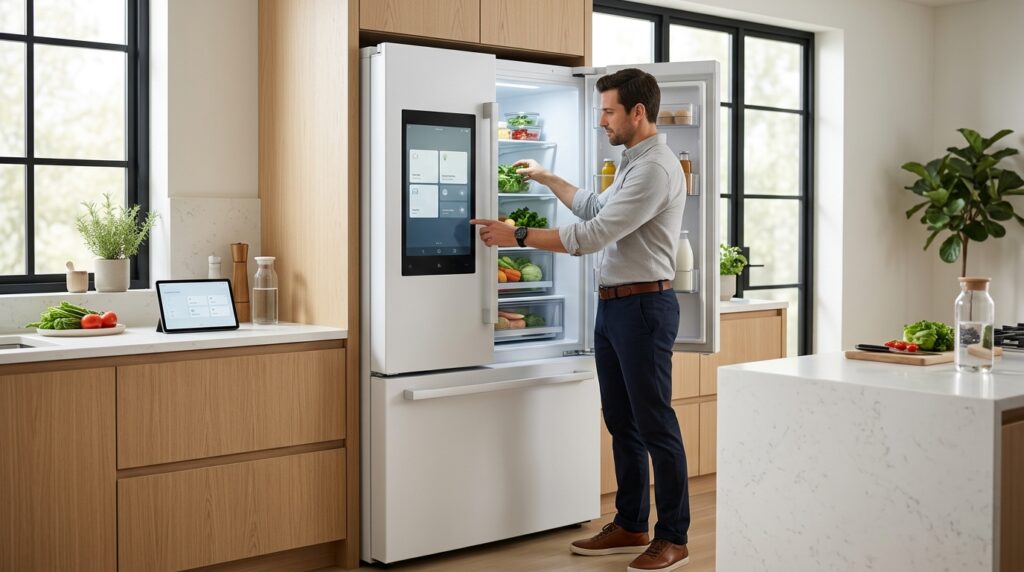
The kitchen has always been the heart of the home, but in the era of the Internet of Things (IoT), it is quickly becoming the brain. For years, “smart” refrigerators promised convenience but often delivered frustration, trapped behind proprietary apps and incompatible ecosystems. Today, a new industry standard called Matter is changing that — reshaping what consumers expect from connected appliances and finally making the smart kitchen a reality.
What does Matter do ?

It creates a unified language for smart devices, ensuring that your next appliance won’t just be high-tech — it will be truly integrated, reliable, and future-proof. Whether you’re shopping for your first smart fridge or upgrading an existing setup, Matter compatibility is the feature that separates a genuinely connected kitchen from one that only sounds impressive on paper.
Choosing a Matter-ready fridge is no longer just about luxury — it’s a smart, long-term investment in your home’s infrastructure. From seamless plug-and-play setup to enhanced security and cross-platform control, Matter removes the barriers between your devices, voice assistants, and hardware, raising the baseline for what a modern kitchen can be — while keeping your appliances smart, secure, and future-proof for years to come.
Why Matter Matters for Your Next Smart Fridge
You already expect a smart fridge to keep food fresh, remind you about groceries, and connect with other devices. Matter changes how reliably and securely those features work — reducing fragmentation, simplifying setup, and ensuring clearer security updates with fewer compatibility headaches. When you choose a Matter-ready fridge, you get more predictable performance, easier integration, and stronger privacy controls. This article shows you what to expect and how Matter raises the baseline for every smart kitchen.
Understanding the Matter Standard and What It Means for Your Fridge

Matter is a single, open connectivity standard created to make smart devices speak the same language. It defines a common application layer, a secure onboarding flow (commissioning), and device models that work over IP networks like Wi‑Fi, Ethernet, Thread (with a border router), and Bluetooth for initial setup. Practically, this means your fridge can look, register, and behave the same across different smart-home platforms — so you spend less time troubleshooting and more time using features.
Matter in plain terms
Matter is a single, open connectivity standard created to make smart devices speak the same language. Technically, it defines a common application layer, a secure onboarding flow (commissioning), and device models that work over IP networks like Wi‑Fi, Ethernet, Thread (with a border router), and Bluetooth for initial setup. Practically, that means your fridge can look, register, and behave the same across different smart-home platforms — so you spend less time troubleshooting and more time using features.
What to expect from a Matter-ready fridge
When a refrigerator implements Matter, you should see several concrete benefits:
Having a fridge that utilizes smart fridge matter simplifies daily interactions with smart home devices.
Real-world context and product notes
Think of a fridge like Samsung’s Family Hub or LG’s InstaView — both offer impressive smart features today. With Matter, manufacturers no longer need to build separate integrations for each ecosystem; instead, they deliver one standardized interface that works across platforms. Before you buy, check the product page or firmware notes to confirm Matter support, as some older smart fridges may require an over-the-air update to become Matter-ready.
Quick how-to checklist for buyers
These practical differences turn smart-fridge features from fragile, vendor-locked gimmicks into dependable, cross-platform utilities you can actually rely on every day.
What you’ll notice day-to-day
When your fridge speaks Matter, everyday interactions become predictable. Instead of juggling manufacturer apps, you’ll see the fridge appear reliably in the smart-home app you already use. State changes — door open, ice-maker active, temperature alarms — propagate consistently across platforms. A notification on your phone matches the status Alexa or HomeKit reports. In practice, this means fewer “it works in one app but not the other” headaches and far less time troubleshooting connectivity.
What you’ll notice day-to-day
When your fridge speaks Matter, everyday interactions become predictable. Instead of juggling manufacturer apps, you’ll see the fridge appear reliably in the smart-home app you already use. State changes — door open, ice-maker active, temperature alarms — propagate consistently across platforms, so a notification on your phone matches what Alexa or HomeKit reports. In practice, this means fewer “it works in one app but not the other” headaches and far less time troubleshooting connectivity.
Common integration scenarios (real-world examples)
Here are practical automations you can enable immediately with a Matter-ready fridge:
These scenarios work across controllers (Apple Home, Google Home, Amazon Alexa) because the fridge exposes the same attributes and events to each system. For example, a HomePod mini or a Nest Wifi Pro acting as a Thread border router will surface the same door-open event that an Echo or Google Home app sees.
How Matter reduces vendor lock-in (and the nuance)
Matter significantly lowers vendor lock-in by eliminating many bridge-dependent integrations: you can switch hubs or assistants without having to rope in a bespoke third-party integration. That said, automations and scenes are often stored in each platform, so switching assistants may require rebuilding complex routines unless you use Matter-native scenes or local controller features. In short:
Quick setup & best practices
Adopting these steps reduces minutes spent in setup and hours spent in frustration, turning your smart fridge from a finicky novelty into a dependable part of your home’s automation backbone — and sets you up to benefit from Matter’s security improvements in the next section.
Security and Privacy: How Standardization Improves Protection for Your Kitchen

Secure onboarding and device authentication
When a fridge is Matter-ready, onboarding stops being the weakest link. Matter defines a uniform commissioning process: you scan a QR code or use a secure tap action, and the fridge and your controller establish authenticated identities — preventing rogue devices from impersonating a new appliance during setup. In practice, this means you can expect:
If you’ve ever accepted vague pairing prompts in an app, you’ll notice the difference: the process is explicit and verifiable.
Encryption of communications
Matter mandates authenticated, encrypted sessions between devices and controllers, reducing the risk of eavesdropping on status updates — such as door open or temperature alerts — or the injection of false commands. In practical terms, your telemetry and control traffic are no longer easy to intercept or spoof, whether it travels over Wi-Fi or Thread.
Consistent update mechanisms and smaller vulnerability windows
One of the biggest security gains is a standardized approach to firmware updates. Matter-compatible devices are more likely to support secure, signed over-the-air (OTA) updates and clearer lifecycle policies. That reduces the window attackers have to exploit a flaw.
When evaluating models, ask manufacturers for:
A fridge that stops receiving signed updates after one year is a much bigger risk than one with a five-year policy and transparent patch history.
With smart fridge matter, you can easily integrate other smart home devices for a cohesive experience.
Privacy: telemetry, local vs cloud, and auditability
Matter doesn’t eliminate vendor-collected data, but it does make it easier to compare providers. Because devices present a predictable set of behaviors and logs, you can more readily audit what’s being sent off the appliance.
Ask these questions before you buy:
A model that offers “local-first” operation or explicit opt-outs is preferable if privacy matters to you.
Practical steps you can take today
Consider how smart fridge matter can lower your appliance’s total cost of ownership over time.
Standardization through Matter won’t erase all risk, but it makes attacks harder and comparisons clearer — a foundation that also supports the efficiency and reliability topics we’ll explore next.
Tangible Benefits: Energy Efficiency, Reliability, and Long-Term Value

Smarter energy management that actually saves you money
A Matter-ready fridge is more than an app on your phone — it becomes an active participant in your home’s energy system. Because Matter standardizes state reporting and control, your fridge can:
In practice, these features can deliver measurable savings. Conservatively, expect incremental runtime and peak-demand reductions in the 5–15% range compared with a networked fridge that can’t coordinate with other systems. To capture those savings now: enable “eco” or scheduled modes, let the fridge delay defrosts during peak hours, and pair it with a home energy controller that supports Matter.
Reliability and simpler maintenance through standardized telemetry
Matter creates predictable, vendor-neutral telemetry and error reporting. That matters when something goes wrong:
A real-world benefit: instead of an initial in-home visit to identify whether the issue is a faulty fan motor or a temporary temperature spike, a technician can remotely review the fridge’s timeline, replace only the needed part, and reduce your downtime. To improve reliability today, enable automatic signed updates and opt in to diagnostic reporting with privacy controls.
Lower total cost of ownership and stronger resale value
Interoperability and clear update policies translate into lower lifetime costs. Key things that preserve value and reduce expense:
When comparing models, add these items to your decision checklist:
Treat those checklist items as part of the purchase price — a slightly higher upfront cost can pay back in lower electricity bills, fewer service calls, and a stronger resale price. Next, you’ll get concrete buying and setup steps to choose the right Matter-ready fridge and put these benefits to work.
Buying and Setup Guide: How to Choose a Matter-Ready Fridge and Maximize Its Potential

What to verify before you buy
When reading spec sheets and product pages, confirm these essentials so your fridge actually integrates and stays useful over time:
Questions to ask retailers or manufacturers
Before committing to a purchase, ask your retailer or check the product specs — a few targeted questions will reveal how well a smart fridge truly supports Matter in practice.
Migrating from an existing connected fridge
If you already own a smart fridge, follow these practical steps:
Robust onboarding and network segmentation
A reliable network reduces headaches during setup and in daily use:
Post-purchase configuration and resilience
Small steps protect privacy and uptime:
Use the guidance in this article to evaluate models, ask the right questions, and configure your fridge to deliver maximum value and reliability. Choose Matter now so your next refrigerator is not just smart today but remains dependable and secure for years and future upgrades. Remember, smart fridge matter is essential for a truly integrated kitchen.
High-impact automations to enable right away
These quick automations show Matter’s value immediately:
Armed with this checklist and setup plan, you’ll be ready to evaluate models confidently and make Matter work for your kitchen from day one.
Make Matter a Priority When You Buy
A Matter-ready fridge futureproofs your kitchen with clearer interoperability, stronger security, and measurable operational benefits that protect your investment. Matter certification is more than a buzzword — it’s a guarantee that your appliance speaks the same language as your entire smart home ecosystem, reducing setup friction and minimizing compatibility surprises for whatever platform you choose.
Use the guidance in this article to evaluate models, ask the right questions, and configure your fridge for maximum value and reliability. Choose Matter now so your next refrigerator isn’t just smart today, but remains dependable and secure for years to come.