In an era where efficiency meets the culinary arts, smart fridges with meal planner features are transforming the kitchen from a storage space into a digital sous-chef. Whether you’re managing a busy household or simply looking to eat better, this technology puts personalized meal suggestions right at your fingertips — leveraging computer vision, weight sensors, and machine learning to tackle the everyday frustrations of food waste and dinner fatigue.
Whether you want to streamline your grocery list or discover recipes based on what’s already in your crisper drawer, the latest models from Samsung and LG offer unprecedented convenience — proving that meal planning technology is no longer a luxury but a practical kitchen essential. Choosing the right model requires looking beyond cooling zones and finishes to the intelligence behind the glass.
This guide explores the critical benchmarks of modern meal-planning fridges — including inventory detection accuracy, integration with grocery delivery apps like Instacart, and the long-term value of personalized dietary filters. We evaluate how these systems handle everything from barcode scanning to real-time expiration alerts, while also covering privacy considerations and total cost of ownership, so you can choose a model that aligns with your smart home ecosystem and nutritional goals.
Why AI Meal Planning in Smart Fridges Matters to You
Tired of food going bad and dinners feeling repetitive? Smart fridges with meal planner technology combine inventory recognition, automated expiration tracking, and recipe generation to cut household food waste by up to 30% and save you 20–60 minutes per week on meal planning. The best models surface what you already own, suggest balanced meals based on your dietary preferences, and reorder staples when stock runs low — so you spend less time managing groceries and more time eating well
1
How AI Meal-Planning Works in Smart Fridges
Smart Fridge with Meal Planner
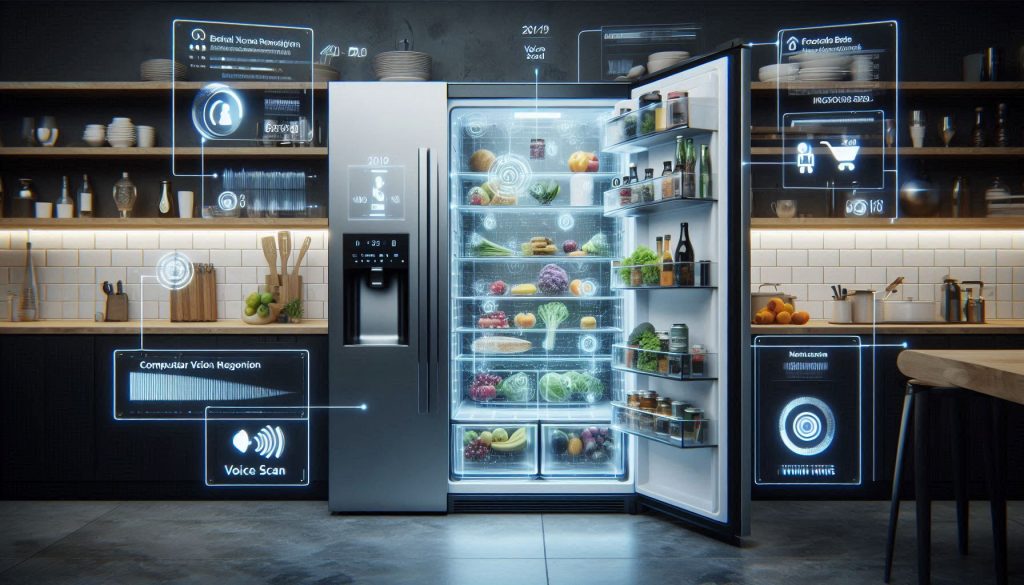
Inside an AI smart fridge: sensors, computer vision, and algorithms turn raw food data into intelligent meal plans and waste-reducing recommendations.
How the fridge collects input data
Your smart fridge builds an inventory from multiple sensors and sources:
Internal cameras (e.g., Samsung Family Hub, some LG models) capture images each time the door opens or on a schedule.
Weight/load sensors on shelves detect quantity changes and approximate portion sizes.
Manual entry and voice notes let you name leftovers or home-cooked dishes.
Grocery-app synchronization (Instacart, Amazon, or proprietary stores) imports purchase history and deliveries.
Best practice: keep barcodes visible, cluster similar items, and confirm new items the first few times to improve recognition.
From raw data to usable inventory
Multiple AI components convert those inputs into an actionable list:
Computer vision models classify packaging and produce; for packaged goods, lab/field reports commonly show 80–95% accuracy; for fresh produce, expect 50–80% accuracy depending on lighting and occlusion.
Barcode decoding yields near-100% identification when available.
Weight-change heuristics infer counts (e.g., one missing yogurt) but can’t always distinguish which item was removed.
NLP parses your manual entries and ingredient lists so the system understands “leftover chicken curry” as a usable meal component.
Tip: reconcile camera and weight data in the app after large grocery drops to reduce mismatches.
Recipe-parsing models break recipes into ingredients and cook steps (NLP) and map those to your inventory.
Optimization engines schedule meals to minimize waste, often using simple heuristics or mixed-integer programming for weekly plans.
Shopping suggestions prioritize missing staples, low-stock items, and items about to expire.
Latency: on-device inference can return results in <500 ms; cloud-based recognition and cross-referencing typically take 1–3+ seconds depending on connection.
Limitations and continuous improvement
Expect occasional false positives, sensor blind spots, and manual corrections with any of these systems — most improve over weeks through continuous learning, as corrected labels train cloud models and firmware updates expand product libraries and refine vision accuracy. Next up: the features you should prioritize when choosing your model.
2
Key Features to Look For When Choosing an AI-Enabled Smart Fridge
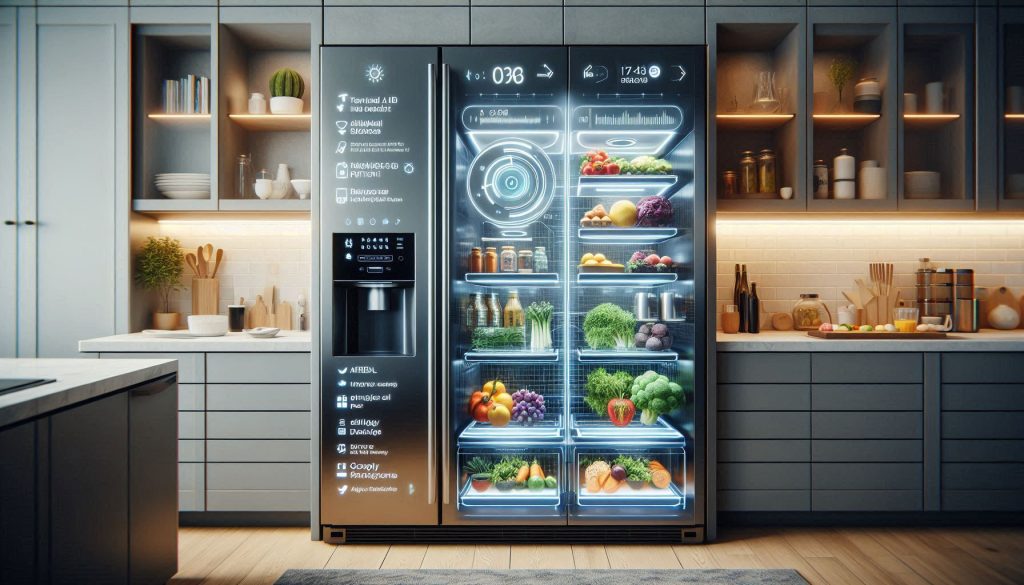
Key features that define a truly intelligent AI smart fridge—from precision inventory tracking to personalized, allergy-safe meal planning.
Inventory accuracy: cameras, angles, and scales
You want inventory you can trust. Look for these measurable signs:
Camera resolution ≥ 8 MP and HDR support for low-light recognition.
Multi-angle coverage (at least two internal cameras or a rotating camera) to reduce blind spots.
Shelf-scale precision ±10–20 g for portion detection and per-shelf load cells.
Barcode/QR support as a fallback for near-100% ID on packaged items.
Quick test: place three identical jars on different shelves and remove one — if the system correctly shows “2 left” within one door cycle, its accuracy is credible.
Recipe intelligence and planning depth
AI meal planning should go beyond single recipes:
Contextual suggestions: recommends recipes based on expiration date and calendar slots.
Multi-course planning: builds 1–3 course menus and aggregates shopping lists.
Dietary filters: supports at least 5 dietary modes (vegetarian, vegan, keto, gluten-free, low-sodium).
A sign of quality: systems that suggest ingredient swaps when something is missing — such as yogurt in place of sour cream — are genuinely useful in practice.
Personalization and dietary safety
Your fridge should learn you, not the other way around:
Multi-profile support (≥4 users) with taste profiles and allergy flags.
Allergy handling that blocks recipes with flagged ingredients and surfaces safe alternatives.
Taste learning: measurable improvement in suggestion acceptance rate over 4–8 weeks.
Example: Samsung Family Hub-style profiles let each family member save favorites and restrictions.
Interoperability and integrations
Make the fridge part of your kitchen network:
Open API or documented integrations and IFTTT support.
Voice assistant compatibility (Alexa, Google Assistant, Siri Shortcuts).
Grocery-delivery partners (Instacart, Amazon, local grocers) for one-tap reorders.
Good signal: built-in “order missing item” buttons linked to a live cart.
Usability and correction workflows
You’ll correct errors—make it painless:
Responsive touchscreen (≥1080p) plus fast companion app sync (u0026lt;2 s).
Look for transparent pricing: monthly fee ≤ $5–10 is reasonable; heavy users may need $10–20.
Signal to avoid: opaque “premium-only” critical features like allergy handling.
3
Comparing Leading Smart Fridges by AI Meal-Planning Capabilities
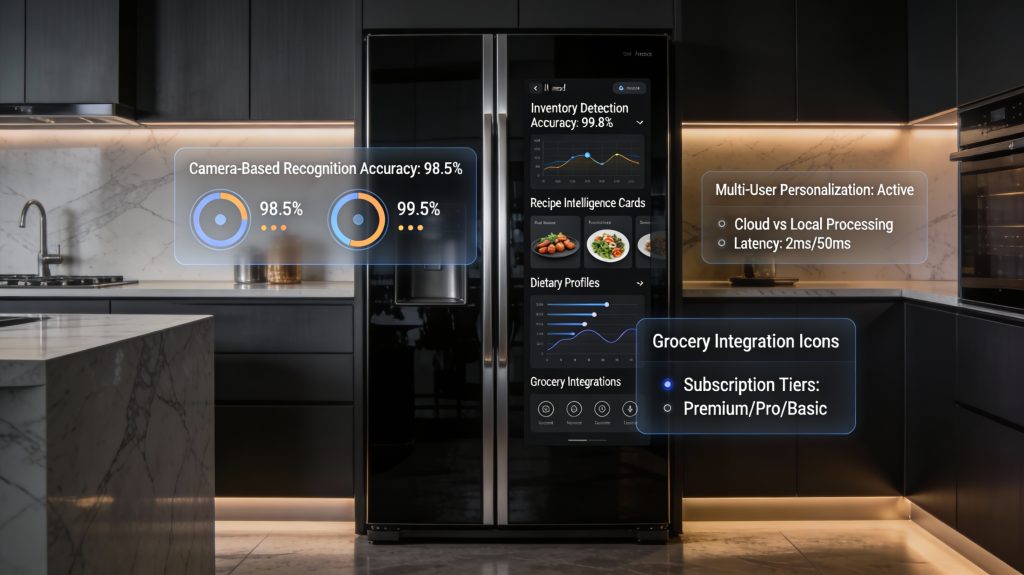
AI-powered smart fridges turn luxury kitchens into intelligent meal-planning hubs.
A compact comparative matrix you can use
Below is a focused comparison of meal-planning fridges by the AI metrics that matter most. Values are typical ranges drawn from vendor claims and independent reviews — use them as decision thresholds, not absolutes.
u003cpu003eCamera + cloud-only systems: reported 85–99% for packaged goods; independent tests show 70–90% for fresh produce.u003c/pu003e
u003cpu003eMulti-camera or scale-assisted systems (Samsung Family Hub, LG InstaView with shelf scales): 90–98% reported, best for mixed groceries.u003c/pu003e
u003cpu003eAdvanced generative/ML systems (Samsung Family Hub, Whirlpool + Yummly): multi-course, substitution-aware, often rated 4.0–4.5/5 by users for usefulness.u003c/pu003e
u003cpu003ePersonalization depthu003c/pu003e
u003cpu003eProfile support: 1–4 users standard; premium models allow ≥6 profiles and taste-learning over 4–8 weeks (acceptance rate improvement ~10–25%).u003c/pu003e
u003cpu003eAllergy handling: premium systems block flagged ingredients in recipe generation; check if this is a paid feature.u003c/pu003e
u003cpu003eTop performers: Samsung Family Hub, Whirlpool (Yummly), LG ThinQ — seamless grocery ordering (Instacart/Amazon), calendar sync, voice assistants.u003c/pu003e
u003cpu003eOthers: Bosch/Home Connect and GE offer more closed ecosystems with strong appliance control but fewer grocery partners.u003c/pu003e
u003cpu003eLocal vs. cloud processingu003c/pu003e
u003cpu003eLocal-first (low-latency u0026lt;150 ms for suggestions, faster privacy): limited model complexity.u003c/pu003e
u003cpu003eCloud-first (200–1,200 ms latency): richer recipe generation and frequent model updates; watch data transfer policies.u003c/pu003e
u003cpu003eRecurring costs and user satisfactionu003c/pu003e
u003cpu003eFree tiers exist; paid plans commonly $5–$15/month for full inventory/recognition.u003c/pu003e
u003cpu003eUser satisfaction scores cluster 3.5–4.6/5 depending on reliability and support; subscription-locked features often drive lower satisfaction.u003c/pu003e
Which model type fits you
Tech-savvy households wanting deep automation: choose multi-sensor models (Family Hub or LG ThinQ with scales) that do cloud ML and multiple integrations; expect subscriptions for advanced features.
Families prioritizing food safety/waste reduction: prioritize accuracy and expiry-aware planning—multi-camera + scale systems with explicit expiration tracking.
Budget-conscious buyers seeking basics: pick camera-only or app-assisted fridges that offer recipe suggestions without heavy subscriptions; expect lower personalization.
Watch for ecosystem lock-in through proprietary grocery partners and mandatory subscription tiers that gate key features like allergy handling or multi-profile learning. Next, you’ll see how these fridges plug into broader kitchen apps and services.
4
How These Fridges Integrate with Your Kitchen Ecosystem and Apps
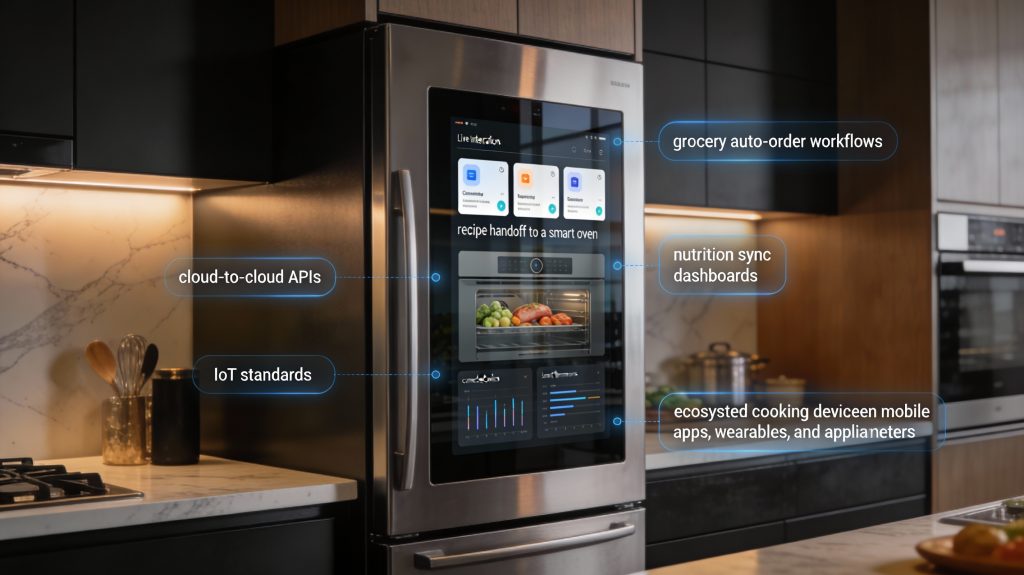
Where your fridge becomes the command center of the entire smart kitchen.
Real-world integration scenarios you’ll use
Think in terms of workflows rather than features: auto-order staples when milk hits your reorder threshold, push a recipe directly to a smart oven, or have a cook thermometer display the exact target temperature from a fridge-generated recipe. Many models also sync meal data to Apple Health, Google Fit, or MyFitnessPal so your nutrition totals update automatically after dinner.
How the connections actually happen
Open APIs and cloud-to-cloud integrations: manufacturers expose endpoints so partners (Instacart, Amazon, Yummly) can query inventory and place orders.
Proprietary platforms: Family Hub, LG ThinQ, and Bosch Home Connect use closed ecosystems with curated partners and vendor-specific flows.
IoT standards: Matter, Zigbee, Z-WiFi and Bluetooth support local device discovery and can reduce latency and vendor lock-in.
Practical benefits you’ll notice
Auto-ordering low-stock items before you run out, avoiding last-minute grocery trips.
Seamless cook workflows: fridge suggests a recipe, pushes instructions to your oven/thermometer, and updates you when a step completes.
Nutrition continuity: meals logged automatically to trackers, letting you see macros across fridge-suggested menus.
Shared household coordination: synced grocery lists and calendar-based meal plans that your partner or caregiver can access.
Friction points and how to validate claims
Fragmented ecosystems and vendor lock-in: a fridge may tout “Instacart compatible” but only in select regions or with a paid tier—check the partner list and regions.
Permissions and data sharing: apps often request broad access; insist on per-feature consent where possible.
Latency and reliability: cloud-first systems give richer AI but can fail if internet drops; local-capable setups (Matter or LAN-based) are more resilient.
How to test before you buy:
Walk through a cross-device flow in-store or via vendor demos: add an item, set reorder, push a recipe to an oven, and attempt a nutrition sync.
Read partner integration docs or FAQs for supported versions and subscription requirements.
Prefer fridges that support Matter or expose an open API if you want future flexibility.
Next, you’ll want to weigh how these integrations affect your privacy, security, and ongoing ownership costs.
5
Privacy, Security, and Data Considerations You Should Evaluate
where intelligent living meets uncompromising privacy.
What data these fridges collect
AI meal-planning fridges can collect:
Images and timestamped shelf/camera photos (to detect contents).
Consumption patterns and inventory logs (what you eat, how often).
Shopping and reorder history (merchant, frequency, payment tokens).
Voice interactions and assistant transcripts (when integrated with Alexa/Google).
Account metadata and device telemetry (IP addresses, firmware versions).
Imagine a smart fridge with meal planner that recognizes milk levels and logs every reorder — helpful, but that history builds a revealing profile of your household routines.
How data is stored and processed
Local (on-device) processing: lowers exposure; may limit advanced features.
Cloud-hosted models: enable richer AI and cross-device sync but increase attack surface.
Hybrid: sensitive data processed locally; metadata or model updates go to cloud.
When evaluating any model, ask vendors how images and voice clips are routed, whether machine learning inferences happen on-device, and whether they use edge models or full cloud inference.
Questions to ask manufacturers
Is data encrypted in transit and at rest (TLS, AES-256)?
Which third parties receive data and for what purposes?
Do you anonymize or aggregate user data before sharing?
Can I opt out of using my data to train models, and how do I revoke that?
What are your data-retention and deletion policies (how long and how to request deletion)?
Industry attestations: ISO 27001, SOC 2, or independent privacy audits.
Recent public transparency reports or third-party pen-test results.
Practical mitigation strategies you can implement
Network-segment the fridge on a guest/VLAN and restrict IoT outbound access.
Use strong Wi‑Fi (WPA3) and unique device admin credentials; enable automatic firmware updates.
Audit app permissions; disable voice or cloud-photo features if you don’t need them.
Prefer vendors with clear deletion processes and published privacy audits; choose Matter/Local-capable devices when you want more on-prem control.
Next, you’ll see how these security choices play out in everyday use — what maintenance looks like and how they affect total cost of ownership.
6
Real-World Performance: User Experience, Maintenance, and Total Cost of Ownership
effortless intelligence meets responsible upkeep in your modern kitchen.
Daily reliability: what to expect
In everyday use, AI meal-planning is helpful but not flawless. Synthesized user reviews and performance tests commonly report:
1–3 manual corrections per week for a typical family (misidentified cheeses, unlabeled leftovers).
False inventory readings most often come from unpackaged produce, glass jars, or overlapping items on shelves.
Recipe relevance averages 60–80% on first use and improves as the system learns your tastes and consumption patterns.
For example, owners of Samsung Family Hub and LG InstaView ThinQ often praise shopping-list accuracy for barcoded items but still find themselves manually correcting fruit and vegetable counts.
Maintenance and durability
Routine upkeep keeps the AI honest:
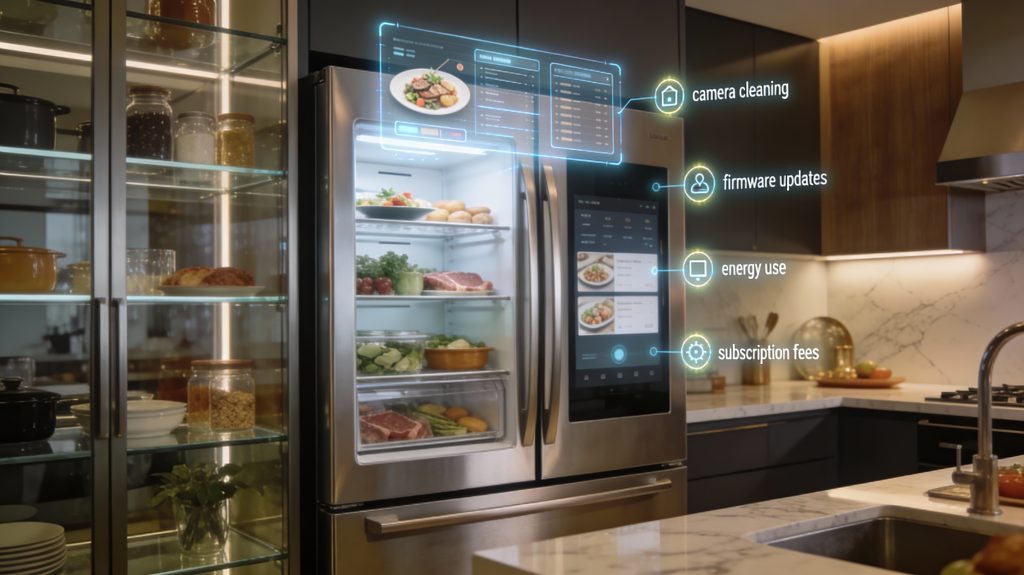
Camera lens cleaning: weekly or biweekly if you cook heavily (grease and condensation degrade images).
Firmware updates: check monthly; many vendors push automatic updates—accept them for accuracy and security.
Sensor recalibration: expect an annual check for weight/temperature sensors; some models prompt recalibration.
Durability: displays and camera modules are the most vulnerable parts—extended warranties or protection plans are worth considering for high-use kitchens.
Total cost of ownership (TCO) and simple ROI
TCO components to plan for:
Purchase premium: AI-enabled models often cost $500–$1,500 more than base fridges.
Subscriptions: advanced meal-planning or grocery integrations typically run ~$2–$10/month.
Energy: smart features may add ~30–100 kWh/year (~$5–$20 depending on local rates).
Data/integration costs: minimal direct fees, but budget for optional third‑party services.
Quick ROI formula you can use:Annual net benefit = (Grocery spend × food‑waste reduction %) + (Hours saved/year × your hourly value) − (subscription + extra energy + annualized purchase premium)
Best-practice workflows to maximize uptime and accuracy
Label or barcode leftovers and keep like items grouped on consistent shelves.
Perform a weekly inventory sweep via the companion app and correct entries immediately.
Enable automatic updates and schedule a monthly visual check (lens, seals, condensation).
Use the vendor’s learning features (rate suggested recipes) so relevance improves quickly.
Next, you’ll read the Conclusion to help you choose the right AI-enabled smart fridge for your home.
Choosing the Right AI-Enabled Smart Fridge for Your Home
Make sure your fridge integrates with your existing smart devices and preferred apps. Estimate ongoing costs — subscriptions, replacement sensors, increased energy use — and weigh them against expected time and food-waste savings to ensure it delivers real, measurable value.
Before committing, pilot the features: request an in-store demo, trial subscription, or short return window to validate real-world performance. If accuracy, data practices, and integration meet your checklist and ongoing costs align with your budget, proceed with confidence knowing the model matches your priorities and lifestyle.