

When upgrading your home entertainment system, the choice between wireless and wired soundbars often comes down to aesthetic freedom versus technical precision. Wireless models offer a clutter-free setup and seamless multi-room streaming via Wi-Fi or Bluetooth, while wired soundbars — typically using HDMI eARC or optical connections — remain the gold standard for lossless audio fidelity and zero-latency performance. Understanding these trade-offs is essential to balancing modern convenience with the immersive depth of high-resolution cinema sound, so let’s look at what each option actually delivers in a real-world setup.
This guide breaks down the critical factors that influence your listening experience — from signal latency and codec support to long-term reliability and ecosystem integration. Whether you’re building a dedicated home theater that requires uncompressed Dolby Atmos or simply want a compact, plug-and-play solution for a small apartment, you’ll find the technical insights and practical checklists needed to make a confident decision. We also cover how to cut through marketing specs like frequency response and SNR to find the right fit for your room, devices, and budget.
Deciding Between Wireless and Wired Soundbars: What to Consider
You want a soundbar that raises your listening experience without unnecessary compromises. The choice between wireless and wired means weighing sound quality, latency, reliability, setup complexity, and long-term cost. This guide breaks the decision into six focused sections: how soundbars work and key terms, audio quality and latency comparisons, setup and compatibility, features and ecosystem integration, cost and longevity, and practical use cases with a decision guide. Read on to identify which option better fits your priorities — whether that’s wireless convenience or maximum performance and reliability.
How Soundbars Work: Key Concepts and Terminology

Before you compare models, you need a quick, practical primer on the terms that actually affect what you hear.
Analog vs. digital signals
This article breaks the decision into six focused sections: how soundbars work and key terms, audio quality and latency comparisons, setup, compatibility, and reliability, features, ecosystem integration, and future-proofing, cost, maintenance, and longevity, and finally practical use cases with a decision guide. Read on to quickly identify which wireless soundbar vs wired type better fits your priorities — whether you prioritize simplicity and wireless convenience or maximum performance and predictable reliability.
Sampling rate and bit depth
These determine how accurately digital audio represents the original waveform. Common benchmarks:
Frequency response, perceived bass, and subwoofers
Frequency response tells you the range a soundbar reproduces. Small soundbars struggle below ~60–80 Hz; an active subwoofer (its own amp) will deliver the “punch” you feel in movies. In practice, a compact bar plus an active sub (6–10″ driver) outperforms a wide-frequency single-bar for low‑end impact.
Signal‑to‑noise ratio (SNR) and total harmonic distortion (THD)
Higher SNR (dB) means less background hiss; lower THD (%) means cleaner sound at high volume. As a rule of thumb, look for SNR > 80 dB and THD < 1% for clean reproduction in mid‑range models.
Codecs and compression
Codecs (SBC, AAC, aptX, LDAC) affect Bluetooth quality; LDAC/aptX HD can approach near‑lossless over Bluetooth if your devices support them. For multichannel movie audio, aim for passthrough of Dolby/DTS via HDMI eARC rather than relying on compressed Bluetooth.
Latency and wireless transport
Bluetooth is easy but can add noticeable lip‑sync delay (look for aptX Low Latency). Wi‑Fi (AirPlay, Chromecast, proprietary mesh) typically delivers lower latency and multiroom capability. Proprietary RF links (used for wireless subwoofers or surrounds) prioritize reliability and low latency.
DSP, built‑in amplification, and active components
In our analysis of wireless soundbar vs wired options, we break down the critical factors that influence your listening experience.
Internal DSP shapes tone, virtual surround, and room correction; good DSP can vastly improve perceived clarity. Most soundbars are active (built‑in amps) — check per‑channel power only as a rough guide. Active subwoofers and powered surrounds remove amplification guesses and typically yield tighter bass and simpler setup.
Practical tip: prioritize HDMI eARC support, room‑calibration DSP, and an active subwoofer if you want movie bass — then use SNR/THD and codec support to fine‑tune choices as you compare models like the Sonos Arc (Wi‑Fi + DSP) or Samsung HW series (wireless sub + eARC).
Audio Quality and Latency: Comparing Performance

What fidelity you actually get
Wired connections (HDMI ARC/eARC, optical, analog) keep audio uncompressed or minimally processed longer, preserving dynamic range, stereo image, and object-based formats like Dolby Atmos. For example, HDMI eARC can pass lossless multichannel PCM and true Atmos bitstreams to a Sonos Arc or Sennheiser AMBEO, whereas Bluetooth (SBC, AAC) typically discards high‑frequency detail and narrows the soundstage. Even high‑quality wireless codecs (aptX HD, LDAC) can’t guarantee full multichannel passthrough — they improve music fidelity but often fall short for cinematic formats.
Latency thresholds and codecs
Latency is where wired and wireless diverge most in perceptible ways.
Practical thresholds:
Interpreting specs vs. reality
Manufacturers will quote wide frequency ranges (20 Hz–20 kHz) and latency numbers that assume ideal test conditions. Real rooms, TV processing, and firmware add measurable delays. A “wireless” feature can mean anything from simple Bluetooth to a proprietary RF link (used by many wireless subwoofers) that delivers much lower latency than Bluetooth.
The wireless soundbar vs wired choice is pivotal in determining your overall satisfaction with audio systems. This section can guide your exploration of sound quality.
How to test a candidate soundbar yourself
Try these quick, practical checks before you buy:
If you need near‑zero latency and full multichannel fidelity, favor wired eARC/analog. If convenience and multiroom streaming matter, weigh codec support and manufacturer latency claims carefully. The next section will walk through setup, compatibility, and everyday reliability so you can translate these performance differences into real‑world use.
Setup, Compatibility, and Reliability: Everyday Practicalities
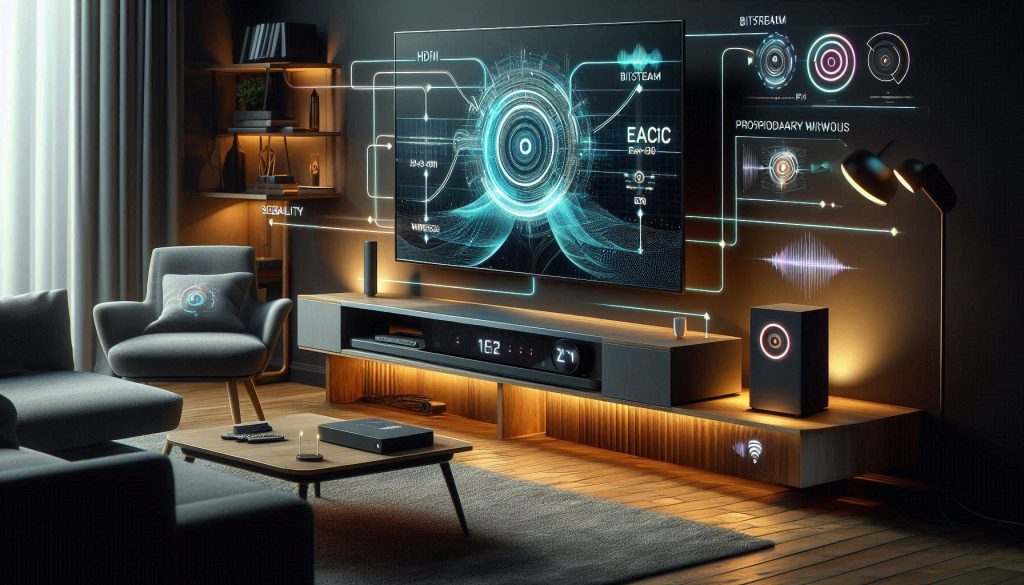
You need a setup that just works every time. Below are the concrete compatibility quirks and reliability issues you’ll meet, and the simple steps to avoid frustration.
Wired: connectors, formats, and handshake pitfalls
Wired is usually straightforward — but only if settings match.
Quick tip: enable HDMI-CEC and eARC in TV menus, set audio output to Bitstream/Pass-through for surround formats, and use certified high-speed HDMI cables.
Wireless: connectivity stability and interference
Wireless adds convenience but brings variability.
Practical fixes: prefer 5 GHz or wired Ethernet for streaming soundbars, position router centrally, and avoid placing the soundbar behind dense cabinetry.
Power, standby, and auto-reconnect
Power behavior varies — some soundbars wake instantly via CEC, others take several seconds and may not auto-reconnect to Bluetooth.
Troubleshooting checklist (do this first)
Next, you’ll see how feature sets and ecosystem integration influence long‑term value and future‑proofing so you can match reliability with the capabilities you actually want.
Features, Ecosystem Integration, and Future-Proofing

When you’re weighing long-term value, ask how a soundbar will live inside your broader media ecosystem. Below are the feature trade-offs and concrete signals to watch for so your purchase remains useful years from now.
Built-in assistants and ecosystem lock‑in
Voice assistants (Alexa, Google Assistant, Siri) and proprietary apps can be convenient — until they’re not.
Tip: prioritize open standards (AirPlay 2, Chromecast, Spotify Connect) over a single voice assistant unless you’re firmly invested in one ecosystem.
Streaming, app control, Bluetooth vs. Wi‑Fi casting
Bluetooth is universal and easy for phone audio, but it’s lower quality and single-device only. Wi‑Fi casting enables multiroom, better bitrate, and background streaming.
Tip: choose Wi‑Fi casting if you value multiroom or higher-fidelity streaming; keep Bluetooth as a fallback.
Modularity: subs, rear satellites, and upgrade paths
Systems that let you add a subwoofer or wireless rear satellites extend lifespan.
Tip: prefer modular systems with universally available add‑ons — you can start simple and upgrade when you want more immersion.
Firmware policy and evolving standards
Long-term usefulness hinges on software support and standards like eARC for full Atmos/pass‑through.
Quick checklist to future-proof your buy:
These considerations favor practical, interoperable features over marketing buzz — and they guide you toward a soundbar that stays relevant as standards and habits evolve.
Cost, Maintenance, and Longevity: Total Cost of Ownership

Price tags don’t tell the whole story. Below you’ll find the practical numbers and trade-offs that determine how much a soundbar really costs over its usable life.
Upfront vs. ongoing costs
Understanding the differences in wireless soundbar vs wired systems can enhance your home entertainment experience.
Upfront: wired soundbars and basic Bluetooth models often start <$200; Wi‑Fi, Dolby Atmos, and modular systems (Sonos Arc, Samsung HW‑Q990C, Bose Smart Soundbar 700) commonly run $400–$1,000+.
Ongoing: expect small annual expenses—replacement remote batteries, occasional adapters, or a router upgrade for reliable streaming. Budget models often need replacement sooner; premium models get longer software support but cost more initially.
Warranty, repairability, and obsolescence
Real-world note: owners of discontinued budget wireless systems sometimes find replacement parts or firmware updates unavailable, forcing full replacement.
Hidden costs to watch
Simple TCO formula (practical)
TCO = Purchase Price + (Years × Annual Running Cost) + Expected Upgrade/Adapter Costs + (Failure Probability × Repair/Replacement Cost)
Example: Sonos Arc ($900), 5 years, annual running $15 (batteries/misc), one router upgrade $150, 10% repair chance at $200:TCO ≈ 900 + (5×15) + 150 + (0.1×200) = $1,169.
Tips to minimize TCO
With cost and longevity clarified, next you’ll see how these trade-offs map to real-world use cases so you can choose the right fit for your lifestyle.
Use Cases and a Practical Decision Guide: Which Is Better for You?

Not every listener has the same priorities. Below are common scenarios, the criteria that matter most, and a short prioritized checklist to help you pick wired or wireless quickly.
Understanding the ongoing debate of wireless soundbar vs wired will empower you to make a more informed decision based on your unique needs and preferences.
Dedicated home theater
Most important: absolute audio fidelity, low latency, expandability, Dolby Atmos support.Recommendation: lean wired or hybrid (HDMI eARC with wired/subwoofer options).Checklist:
Apartment or small living room
Most important: convenience, neighbor-friendly bass, space constraints.Recommendation: wireless-first or compact wired if budget-focused.Checklist:
Desktop or gaming setup
Most important: latency, direct inputs (USB/optical), positional audio.Recommendation: wired or low-latency wired/wireless combo.Checklist:
Multiroom audio
Most important: ecosystem, streaming reliability, synchronization.Recommendation: Wi‑Fi/mesh-friendly wireless (Sonos, Bose).Checklist:
Portability and occasional use
Most important: battery life, size, wireless pairing ease.Recommendation: Bluetooth/portable wireless soundbars.Checklist:
Quick decision flow when comparing two models
When considering the wireless soundbar vs wired options, it’s clear that both categories have their advantages and potential drawbacks. If you’re focused on sound quality, the wired option may be your best choice, while those valuing convenience might lean towards wireless soundbar vs wired systems.
Use this flow as a checklist while you compare two specific models, then proceed to weigh long‑term support and warranty before deciding. Next, the Conclusion will help you balance these trade-offs into a final choice.
Making Your Choice: Balance Performance, Convenience, and Budget
Weigh measurable performance — latency and fidelity — against practical concerns like setup, reliability, and total cost. If uncompromised audio and the lowest possible latency matter, whether for home theater, critical listening, or gaming, favor wired connections and higher-end components. If flexibility, cleaner placement, and simpler multi-room or mobile use are priorities, choose wireless while accepting potential trade-offs in latency and transient fidelity.
Test candidates in your space using the checklist provided: measure latency with your devices, audition critical tracks, verify compatibility, and estimate recurring costs and lifespan. Focus on your top two priorities — sound quality versus convenience — rather than chasing features. When in doubt, start wired and add wireless convenience where it won’t compromise the listening moments that matter most. Consult expert reviews and in-store demos where possible, but prioritize objective measurements and how the system actually performs in your room.