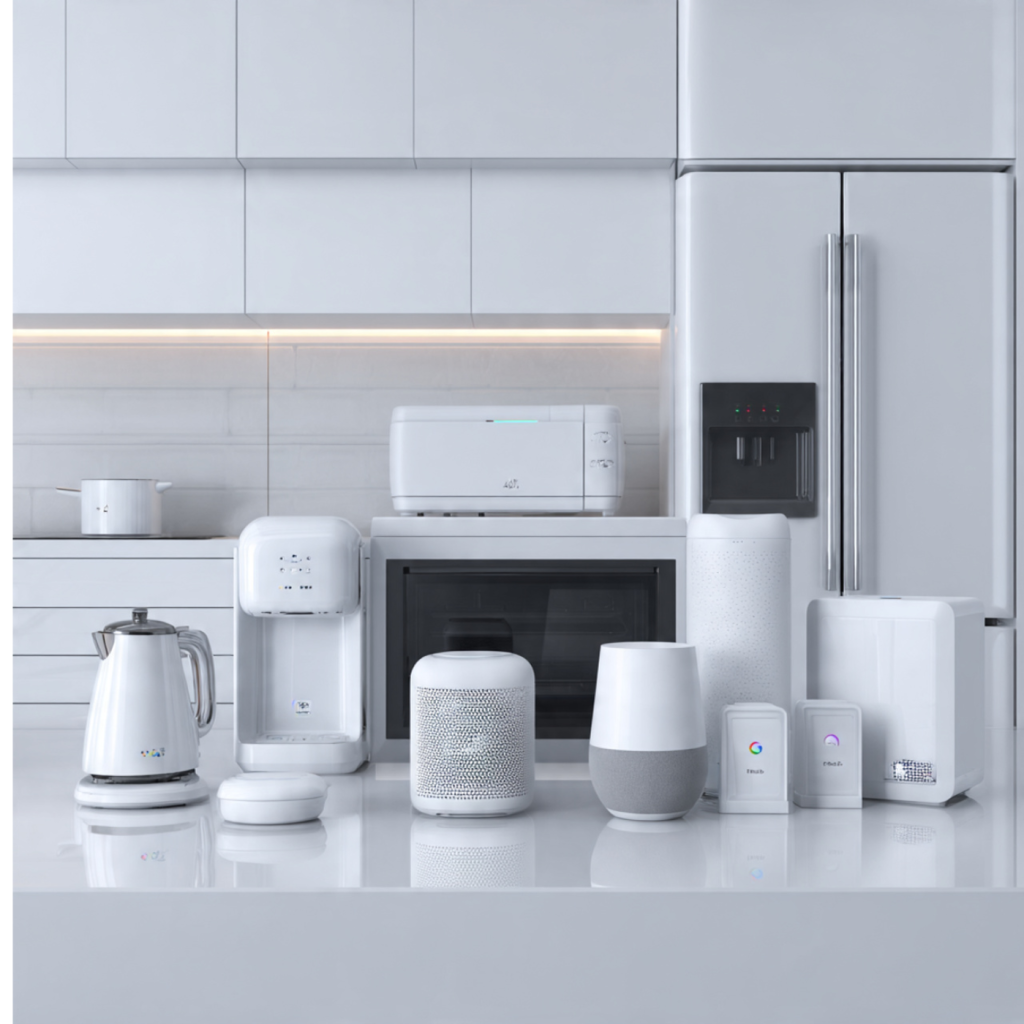
Why compatibility matters when building a smart home
Buying the wrong smart appliance can lock you out of features and cost you hundreds. You want devices that just work together, not gadgets that complicate daily life. This guide compares Alexa, Google Home, and HomeKit so you know which ecosystem aligns with your privacy preferences, voice habits, and your devices.
You’ll learn which appliance categories to prioritize, how to verify compatibility, and practical planning tips for installs and automations. Expect trade-offs: convenience vs. privacy, wide device choice vs. tight integration. By the end you’ll pick appliances that fit your home and remain useful as platforms evolve.
1
Comparing the three ecosystems: strengths, limits, and typical device support
Openness vs. control: the platform philosophies
Each ecosystem reflects a different trade-off between device choice and control. Alexa is the most permissive — manufacturers quickly add “Works with Alexa” and Amazon even embeds Zigbee radios in Echo devices (Echo Plus, Echo Show models) so you can run bulbs directly from the hub. Google Assistant emphasizes contextual voice and search-smarts, and tends to get rapid support from major appliance makers (think Nest, Whirlpool). HomeKit enforces stricter certification and privacy rules, so you’ll see fewer cheap knock-offs but stronger local-control and encrypted device links.
Typical device coverage and real examples
Lights and switches: Philips Hue and LIFX work across all three (Hue via the Hue Bridge for full features).
Thermostats: Nest integrates tightly with Google but lacks native HomeKit; Ecobee supports Alexa, Google, and HomeKit.
Locks: August and Yale models commonly support all three, though advanced features sometimes vary.
Cameras: Many cameras support Alexa/Google natively; HomeKit Secure Video (e.g., Arlo, Logitech Circle, Eufy’s HomeKit models) requires Apple’s stricter rules and a Home hub.
Major appliances: Fridges and washers from Samsung, LG, and GE often support Alexa and Google; HomeKit support is rarer and usually appears later or via bridges.
Voice and automation trade-offs you’ll feel
Alexa: deepest third‑party integrations and flexible routines, good if you want broad device choice and complex, multi‑manufacturer automations.
Google: excels at conversational voice, context-aware responses, and integrations with search-based services (timers, reminders, Nest history).
HomeKit: favors privacy and local execution; automations run reliably even if the cloud blips, but you may need to pick among fewer device models.
Quick how-to advice
If you want the broadest hardware selection, prioritize Alexa (or Matter-compatible devices).
If conversational voice and appliance-brand integrations matter, favor Google Assistant.
If privacy, local automations, and Apple continuity are priorities, pick HomeKit-compatible devices or those with native HomeKit/Matter support.
2
Which appliance categories to prioritize and compatibility nuances
This section walks through common smart appliance categories and what compatibility looks like in practice. For each category you’ll see typical integrations, ecosystem limitations to expect, and direct questions to ask before you buy so your device behaves how you need it to.
Lighting and switches
Smart bulbs and wall switches give the biggest day‑to‑day benefit.
Typical integrations: voice on/off, dimming, color scenes, schedules, local routines, and (with some hubs) power/energy reporting.
Ecosystem nuances: Hue and Lutron Caseta offer the richest feature sets across platforms; cheaper Wi‑Fi bulbs may expose only basic on/off to HomeKit or Google. Some switches require a neutral wire.
Questions to ask: Do you need a physical 3‑way replacement? Does this model support local (hub) control or only cloud? Example: Philips Hue + Hue Bridge gives full scenes on all assistants; a generic $10 bulb may only support Alexa voice.
Thermostats and HVAC controls
Smart thermostats save energy but differ in control depth.
Typical integrations: temperature setpoints, schedules, geofencing, HVAC diagnostics, and energy reports.
Ecosystem nuances: Nest (Google) often has deeper historical data in Google’s ecosystem; Ecobee offers broad cross‑platform support and home‑occupancy sensors. HomeKit models require certification for native access to automations.
Questions to ask: Does it expose HVAC modes and fan controls to all assistants? Will it integrate with your heat pump or multi‑stage system?
Smart locks and garage doors
Access control is both convenience and security‑sensitive.
Typical integrations: lock/unlock, status reporting, auto‑lock, temporary codes, presence‑based unlocks, and integration with scenes.
Ecosystem nuances: August and Yale often support all three, but HomeKit sometimes limits remote features unless a Home hub is present. Garage openers (Chamberlain/MyQ) historically had partial HomeKit support via bridges.
Questions to ask: Are logs and code management available in the app you’ll use? Do remote unlocks require a cloud account?
Security cameras and sensors
Expect privacy and storage tradeoffs.
Typical integrations: live view, motion alerts, cloud/local recording, and smart detection (people, packages).
Ecosystem nuances: HomeKit Secure Video needs an Apple hub and iCloud storage; Alexa/Google often have cheaper cloud tiers and more third‑party integrations.
Questions to ask: Is local recording supported? What detection features are on‑device versus cloud?
Big appliances add convenience but limited voice control.
Typical integrations: status checks, start/stop, preheat, grocery lists, and basic notifications.
Ecosystem nuances: Samsung/ LG /GE often support Alexa/Google quickly; HomeKit support is rare or delayed. Full feature control (e.g., oven presets) may be app‑only.
Questions to ask: Can you start cycles via voice or only check status? Does the manufacturer expose energy usage or diagnostics?
Laundry machines
Smart washers/dryers give notifications and cycle control.
Typical integrations: cycle start/stop, notifications, smart diagnostics, and energy reporting.
Ecosystem nuances: Brands often focus on their own apps; voice start/stop may be limited to simple commands on Alexa/Google.
Questions to ask: Can you trigger custom automations (e.g., notify when wash ends) in your chosen platform?
Robot vacuums
High ROI for time savings, mapping matters.
Typical integrations: start/stop, room‑level cleaning, maps, schedules, and status updates.
Ecosystem nuances: iRobot and Roborock support Alexa/Google well; HomeKit support is rare and often relies on HomeBridge or Matter.
Questions to ask: Does voice control allow room‑level commands? Are maps stored locally or in the cloud?
Smart plugs
The easiest way to add “dumb” devices to an ecosystem.
Typical integrations: on/off, schedules, simple energy monitoring (some models), and inclusion in scenes.
Ecosystem nuances: TP‑Link Kasa and Wemo work broadly; Eve Energy is a strong HomeKit choice with reliable local control.
Questions to ask: Do you need energy metering? Will the plug block adjacent outlets or fit two per outlet?
End of section
3
How to verify compatibility: certification badges, product pages, and practical tests
You’ve narrowed your appliance choices by category — now verify they’ll actually work in your Alexa, Google Home, or HomeKit setup. Below is a practical checklist and short how‑to to avoid surprises (and returns).
Certification badges — what they really mean
Look for these logos on packaging and product pages:
Works with Amazon Alexa — vendor-tested voice/cloud integration; not always local control.
Works with Hey Google / Google Assistant — similar to Alexa; check which features are exposed.
Works with Apple HomeKit — requires hardware-backed security and typically enables native automations.
Matter logo — new cross‑platform standard promising local, interoperable control across assistants.
Example: Eve Energy emphasizes HomeKit and local control; a generic “Alexa-compatible” bulb may rely wholly on cloud services.
Local control or cloud‑only callout; firmware update policy and years of support.
Model numbers: some SKUs add or remove features (US vs EU versions).
Ask support or the retailer: “Does voice control include status reporting and scenes? Will it work with no internet? Is there a subscription for remote access?”
Cloud integrations vs local control — quick primer
Cloud tends to offer broader features and remote access but adds latency, dependency on vendor servers, and privacy risk. Local control (Hue Bridge, Lutron Caseta, Thread border routers like HomePod mini) gives faster, private, and more resilient automations.
Example: Philips Hue + Hue Bridge runs scenes locally; many bargain Wi‑Fi bulbs only respond through a vendor cloud.
Practical tests and purchase tactics
Before committing to multiple items:
Buy one unit first (smart plug or bulb) to validate commands, automations, and offline behavior.
Use trial periods and return windows — big retailers commonly allow 30 days.
Read community feedback (Reddit, vendor forums) for real‑world hiccups and firmware issues.
Test critical flows: voice start/stop, status updates, routines, and local operation with internet off.
These steps will let you confirm the device performs in your actual home environment and reduce costly rework as you scale your smart home.
4
Planning installations and automations for each platform
Here you’ll find step‑by‑step practices that make installations and automations reliable across Alexa, Google Home, and HomeKit — so your devices behave the way you expect.
Onboarding basics — one device at a time
Start with a single device in each new category (a smart plug, one bulb, one sensor) and fully onboard it before scaling.
Alexa: enable the manufacturer’s skill, sign in, then discover devices in the Alexa app.
Google Home: link the vendor account in Home app > + > Set up device > Works with Google, then assign devices to rooms.
HomeKit: scan the HomeKit code in the Home app or enter the setup code; ensure you have a Home hub (HomePod mini, Apple TV) for automations and remote access.
Example: add a Philips Hue bulb via Hue Bridge to all three ecosystems — in practice you add it to Hue first, then link Hue to Alexa/Google; for HomeKit, use Hue’s HomeKit pairing code.
Naming, rooms, and group structure
Use short, unique names and consistent room groups to avoid voice confusion:
Format: [Room] [Device] (e.g., “Kitchen Light” not “Main Light”).
Create room groups (Kitchen, Living Room) and device groups (Kitchen Lights) so “turn on the kitchen” works predictably.
Avoid duplicate names across rooms (two “Lamp” entries).
Routines, scenes, and automations
Alexa: build Routines (Triggers: voice, schedule, device state). Example: motion sensor (Wyze/Aqara via skill) → turn on Lutron Caseta lights → announce on Echo.
Google: use Routines and include device actions or smart home triggers; Nest devices often appear with deeper controls for Google accounts.
HomeKit: create Scenes and Automations in the Home app; HomeKit Secure Video lets you link motion to camera recording and iCloud storage (Home hub required).
Use conditions: time of day, presence (phone/home hub), or brightness to avoid false positives.
Multi‑user access and testing
Invite household members: Alexa (Household/voice profiles), Google Home (Invite home members), HomeKit (Invite people via Home app).
Set permissions thoughtfully—guest accounts should not change automations.
Test flows with internet off (where local control matters), simulate away/presence, and run each automation three times to catch timing or race conditions.
Next you’ll learn how these installation and automation choices affect security, privacy, and long‑term maintenance.
5
Security, privacy, and maintenance: what compatibility decisions mean for your home
Compatibility isn’t only about voice control — it determines how your data flows, who can push firmware to your devices, and how long those devices keep working. Below are concrete steps and examples to keep your smart home resilient and private.
Account hygiene: lock the front door to your cloud
Use unique, strong passwords and a password manager (1Password, Bitwarden).
Enable two‑factor authentication on vendor accounts (Google, Amazon, Philips Hue).
Periodically audit linked accounts and revoke unused integrations (check Alexa Skills, Google “Works with Google” links).Example: after a rental, revoke guest access and any shared HomeKit invites you no longer need.
Network segmentation: limit lateral movement
Put IoT devices on a separate SSID or VLAN from your PCs/phones.
Use firewall rules to block IoT-to-internal traffic; allow only required outbound services.
Home router options: Eero and Google Nest WiFi offer guest networks; Ubiquiti UniFi gives enterprise VLAN control.Quick test: can a smart bulb be pinged from your laptop? If yes, tighten segmentation.
Firmware updates and vendor support cadence
Prefer devices with signed OTA updates and a clear update cadence (monthly/quarterly).
Enable automatic updates for reputable brands (Philips Hue Bridge, Apple HomeKit devices). For budget cameras (Wyze Cam v3), check release notes monthly.
Log major firmware versions for critical devices (locks, hubs) and set manual checks every 30–90 days.
Minimum security features to require
TLS/HTTPS for cloud connections, and ideally end‑to‑end encryption (HomeKit offers strong local/E2E models).
Local control option or LAN API (Philips Hue via Bridge, local Home Assistant integrations).
2FA support for cloud accounts and signed firmware updates.
Handling cloud‑dependent or unsupported devices
Isolate legacy or cloud‑only devices on a restricted network and plan replacement.
Consider community firmware or hubs (Home Assistant, Zigbee2MQTT) to regain control when vendors sunset services.
If a device loses vendor support, migrate automations and replace critical items first (locks, cameras).
Before you move on, make quick checks now: enable 2FA, isolate one device to a guest SSID, and test local control by disconnecting the internet — these small actions preserve privacy and keep automations functional as you plan future interoperability.
6
Future-proofing and cross-platform interoperability strategies
You’ll want your appliance choices to stay useful even as platforms evolve. The goal is resilience: mix immediate convenience with architectural choices that let you adapt without ripping everything out.
Use hubs and bridges strategically
A well-chosen hub can absorb ecosystem shifts. Local hubs (Hubitat Elevation, Home Assistant on a Raspberry Pi) and bridges (Philips Hue Bridge, Aqara Hub) keep devices on your LAN and reduce cloud reliance. If a vendor changes APIs, the hub often preserves local control and automations.
Favor devices with open APIs or broad support
Pick appliances that actively document APIs or work with many platforms. Examples:
Eve Energy (HomeKit-first but now adds Thread/Matter)These give you options to move between Alexa, Google, and HomeKit with less friction.
Leverage emerging standards: Matter, Thread, and Zigbee/Z‑Wave
Matter (backed by Apple, Google, Amazon) aims to reduce vendor lock-in; Thread improves mesh reliability for battery devices. Prioritize devices that list Matter or Thread support — IKEA TRÅDFRI, Nanoleaf, and many new smart plugs are adopting these standards. Keep legacy Zigbee/Z‑Wave choices where needed for mature device categories (locks, switches) and bridge them into Matter-capable hubs when possible.
Plan for modularity and replaceability
Buy appliances with swappable parts or well-supported modules. Examples:
Smart thermostats with removable wiring modules (Ecobee, Nest)
Light ecosystems where bulbs/bridges can be swapped independently (Hue)Avoid proprietary combos (appliance+cloud lock-in) for mission-critical items like locks, cameras, or smoke detectors.
Practical checklist to apply now
Prefer devices that support at least two ecosystems or a local API.
Add a local hub (Home Assistant/Hubitat) for critical automations.
When buying, confirm Matter/Thread roadmap and firmware update policy.
Keep an inventory: what uses cloud-only features vs. local control.
These tactics decrease vendor lock‑in and make transitions manageable. Next, the Conclusion will help you synthesize these strategies into appliance‑level decisions that fit your goals.
Choosing appliances that fit your ecosystem and goals
Start by choosing the ecosystem that aligns with your priorities — broad device support, strong privacy, or deep automation. Verify compatibility using certification badges, product pages, and simple tests before you buy. Prioritize categories that deliver daily value, and design installations and automations that are secure, maintainable, and easy to update.
Make choices that keep your home predictable and resilient: prefer certified devices, segment networks, enable updates. If you value flexibility, consider bridges or hubs that preserve choices across Alexa, Google Home, and HomeKit. Start small, iterate, and grow your smart home confidently.
Essential cookies enable basic functions and are necessary for the proper function of the website.
Name
Description
Duration
Cookie Preferences
This cookie is used to store the user's cookie consent preferences.
30 days
These cookies are needed for adding comments on this website.
Name
Description
Duration
comment_author_email
Used to track the user across multiple sessions.
Session
comment_author_url
Used to track the user across multiple sessions.
Session
comment_author
Used to track the user across multiple sessions.
Session
Statistics cookies collect information anonymously. This information helps us understand how visitors use our website.
SourceBuster is used by WooCommerce for order attribution based on user source.
Name
Description
Duration
sbjs_udata
Information about the visitor’s user agent, such as IP, the browser, and the device type
session
sbjs_first
Traffic origin information for the visitor’s first visit to your store (only applicable if the visitor returns before the session expires)
session
sbjs_current
Traffic origin information for the visitor’s current visit to your store
session
sbjs_first_add
Timestamp, referring URL, and entry page for your visitor’s first visit to your store (only applicable if the visitor returns before the session expires)
session
sbjs_current_add
Timestamp, referring URL, and entry page for your visitor’s current visit to your store
session
sbjs_migrations
Technical data to help with migrations between different versions of the tracking feature
session
sbjs_session
The number of page views in this session and the current page path