Are you designing a modern kitchen and struggling to choose between pop-up vs. hidden outlets for your island? The right power solution is more than just a convenience; it affects your kitchen’s safety, workflow, and aesthetic appeal. In this comprehensive guide, we provide a data-driven comparison of kitchen island outlets, exploring how retractable power modules and concealed strips impact everything from meal prep to device charging. Whether you are a homeowner planning a DIY renovation or a designer looking for the latest [2026] kitchen electrical trends, understanding the functional trade-offs of these modules is essential for a high-performing culinary space.
By the end of this article, you will gain expert insights into NEC code requirements, circuit capacity for heavy appliances, and the long-term durability of motorized versus manual units. We break down the installation costs, maintenance needs, and specific use cases—ranging from high-activity prep zones to minimalist showpiece islands. Read on to discover which recessed power solution matches your budget and design goals, ensuring your kitchen island remains both beautiful and fully functional for years to come.
Why the choice between pop-up and hidden outlets matters for your kitchen island
You use your kitchen island for food prep, charging devices, and powering small appliances, so the outlet style affects safety, function, and aesthetics. This article gives a data-driven comparison of pop-up and hidden outlets to help you choose the right solution. You’ll get clear definitions, performance and accessibility analysis, safety and code considerations, durability and maintenance notes, cost and retrofit guidance, and a decision framework for common use cases.
Read on to compare real-world trade-offs and recommended setups for different priorities like frequent countertop use, family kitchens, and sleek island designs. By the end you’ll know which outlet type matches your daily needs, budget, and visual goals.
1
Understanding what pop-up and hidden outlets are (definitions and basic mechanics)
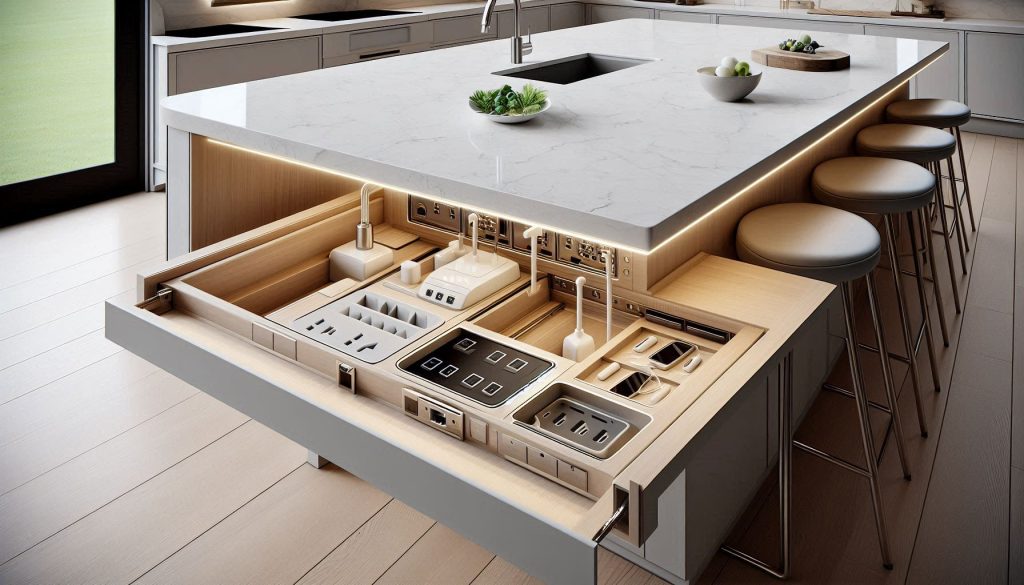
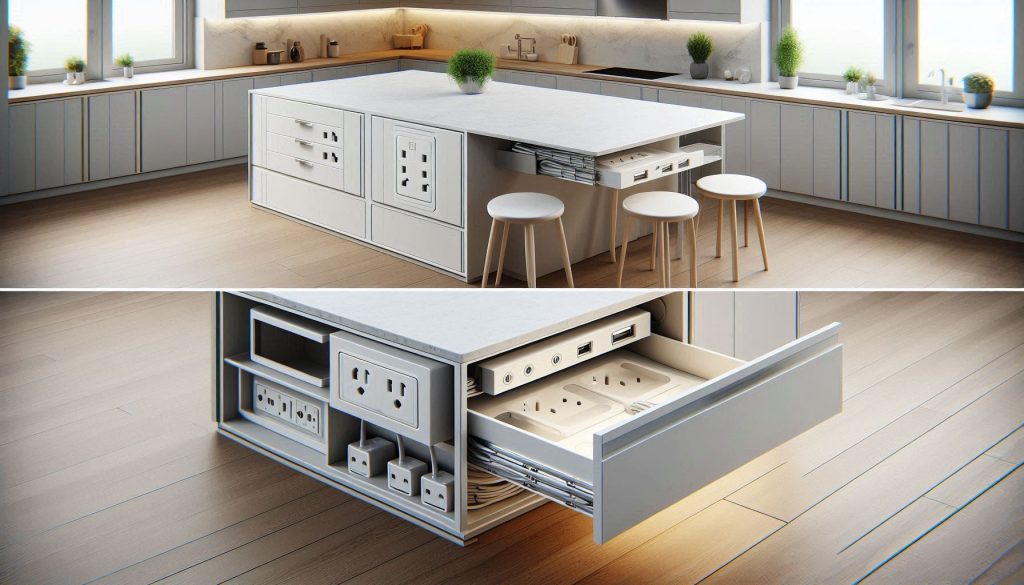
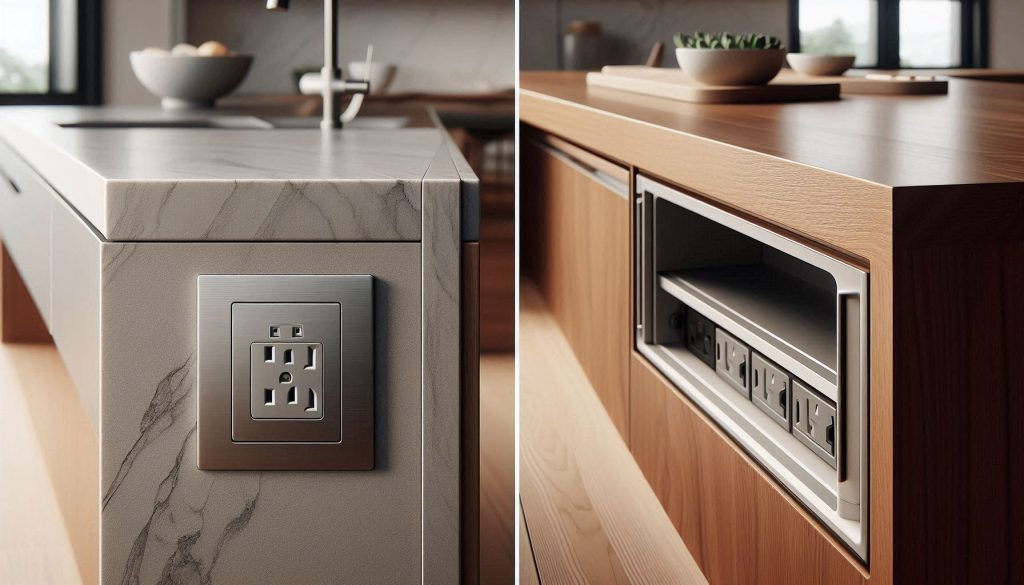
Visual definitions of pop-up and hidden kitchen island outlets.
What a pop-up outlet is
A pop-up outlet is a retractable power module that sits flush with your countertop or island surface and rises when you need power. Mechanisms are typically spring-assisted (press-to-open) or motorized for a softer lift; some models include tactile seals or rubber gaskets to limit splash intrusion. You cut a round or rectangular hole in the counter, drop the unit in, and connect it to the branch circuit below. A common real-world example is the evoLine Port Push-style unit or Legrand’s countertop pop-up modules.
What a hidden outlet is
“Hidden” covers several approaches that keep receptacles out of sight while remaining accessible:
under-counter power strips mounted to the underside of cabinets or island aprons;
flip-up or flip-down modules that hinge out from the countertop edge or face frame;
recessed faceplate units or drawer-mounted outlets installed inside cabinetry or a belly-garage.These tend to use standard receptacles, multi-outlet strips, or integrated USB/surge modules and rely on cabinetry cutouts and mounting blocks rather than countertop core drilling.
Typical electrical components and mounting locations
Components: GFCI-protected receptacles (or GFCI upstream), standard duplex outlets, integrated USB-A/C ports, surge protection modules, and the required mounting/connection box below the countertop.
Mounting locations: central island top (pop-up), island apron or seating side (hidden strips), inside drawers or end panels (recessed/flip-up).
Typical dimensions and practical notes
Pop-up cutouts: generally 2–4 in. diameter or small rectangular footprint; installed depth commonly 4–8 in. — confirm with product spec sheet.
Hidden strips/faceplates: length varies (6–18 in. for strips); depth usually 2–4 in. for recessed boxes.
Compatibility: pop-ups need a minimum countertop thickness and clearance below—solid surface, quartz, and laminate can all work but stone requires core drilling by your fabricator. Hidden strips are usually the safer retrofit option when underside clearance exists or when you want to avoid cutting stone.
Next you’ll see how these physical differences translate into day-to-day performance and accessibility for different cooking and entertaining habits.
2
Performance and accessibility: which option serves your daily use best
Your choice should be driven by how you use the island. Below are practical comparisons that translate hardware differences into everyday performance.
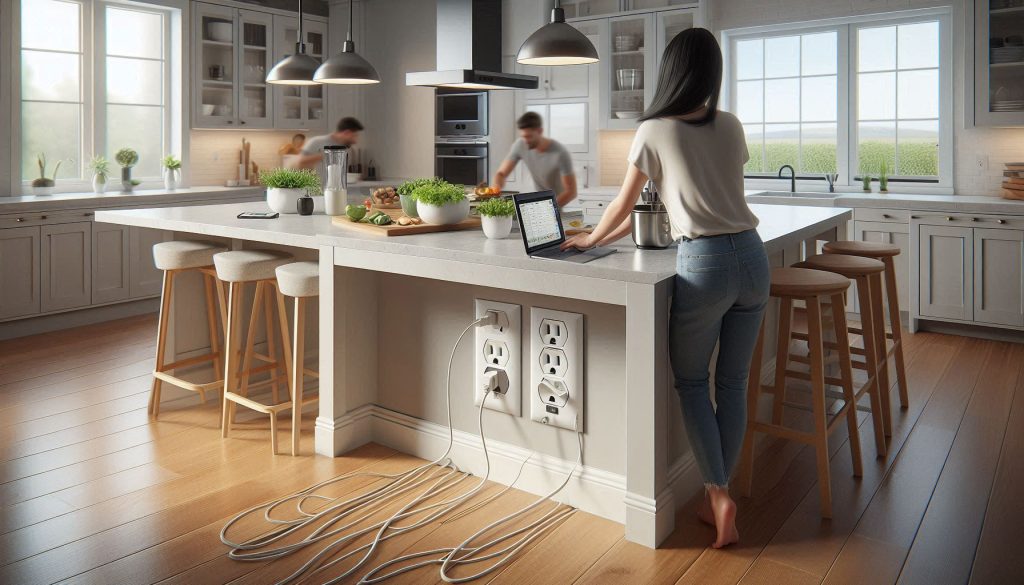
How outlet placement affects reach, ergonomics, and everyday kitchen workflow.
Reach and ergonomics
Pop-up outlets sit at countertop level when deployed, so you plug in and unplug without bending or moving appliances — ideal when you stand and prep. Hidden under-apron strips or drawer-mounted outlets force cords downward or into a cavity; that can be awkward if you’re using a stand mixer while seated at the island or if a cord drapes over a stool. Motorized pop-up units (e.g., evoLine Port Push, Legrand pop-up modules) add one-touch convenience but introduce additional mechanical parts to maintain.
Simultaneous device usage and effective power delivery
Think in watts: common countertop appliances run roughly 500–1,500 W.
A standard 15 A/120 V circuit = 1,800 W capacity (NEC continuous-load safe limit ≈ 80% → 1,440 W).
A 20 A/120 V circuit = 2,400 W capacity (80% safe limit ≈ 1,920 W).
If you run a 1,200 W toaster and a 700 W blender simultaneously, you’re already at 1,900 W — within a 20 A circuit but likely to overload a 15 A one. Pop-up units usually provide only a small number of outlets (2–4) and integrated USB ports (commonly 2.4 A/12 W USB-A; premium units offer USB‑C PD 18–60 W). Hidden strips or multi-gang under-apron modules can supply more receptacles, letting you spread loads or use a dedicated 20 A feed for heavy baking/catering needs.
Latency, wear, and durability
Mechanical pop-ups are convenient but see repeated cycling. Many consumer pop-up units are designed for thousands of actuations; motorized models reduce finger wear but can fail electrically. Hidden strips use standard receptacles with long-established service life and are easier/cheaper to replace when worn.
Cable management and use with powered accessories
Pop-ups keep plugs on the work surface which is great for frequent, short-term use (phone charging, immersion blenders). They can create clutter unless you use cable clips or silicone mats. Hidden outlets better hide long-term charging stations, slow-cooker cords, or powered cooktop accessories routed through a grommet or drawer with a pass-through.
Real-world quick guidance: if you regularly run multiple heavy appliances while entertaining, favor hidden multi-receptacle solutions on a dedicated 20 A circuit. If you want ergonomic countertop access for intermittent charging and light appliances, a pop-up with at least one USB-C PD port will be faster and more convenient.
3
Safety, code interaction, and electrical capacity considerations
You’re now into the section where mistakes cost money — and sometimes safety. Treat code and capacity rules as design constraints, not optional extras. Below are the practical points you should evaluate and the checks you can ask your electrician to perform.
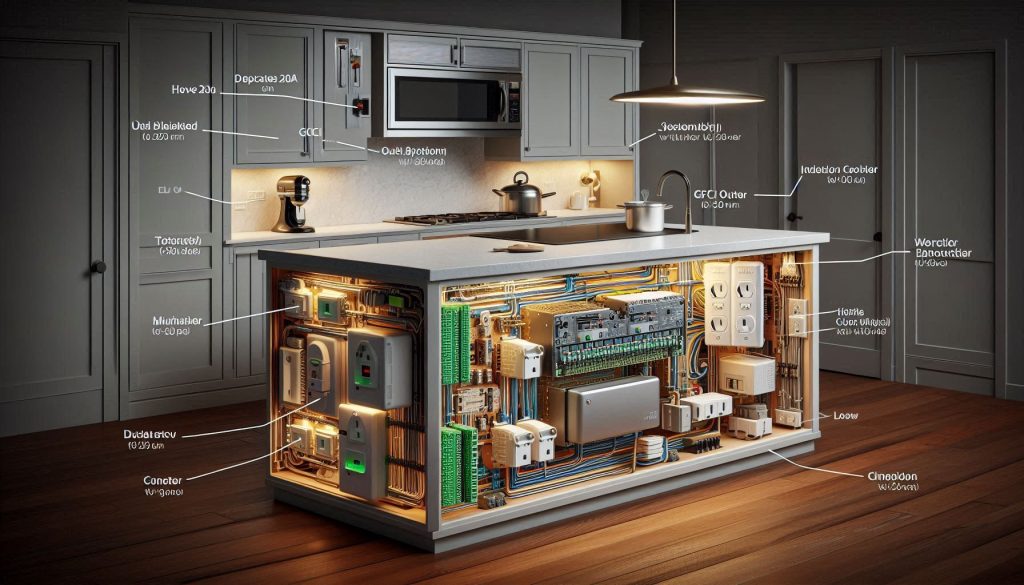
Electrical safety, code compliance, and load planning for kitchen island outlets.
Circuit capacity and load planning
Know your circuit: a 15 A/120 V branch gives roughly 1,440 W safe continuous load; a 20 A circuit gives ≈ 1,920 W.
Plan loads, not outlets: list the appliances you’ll run simultaneously (toaster, mixer, induction hot plate) and size a dedicated 20 A island circuit if you routinely exceed 1,440 W.
Consider multi-gang hidden strips if you need more receptacles and load balancing; pop-up units rarely replace a full-capacity feed.
GFCI and AFCI expectations
Kitchens require GFCI protection for countertop outlets; many local codes also require AFCI protection for kitchen branch circuits.
Best practice: use a GFCI-protected feed for island outlets and ensure AFCI breaker protection at the panel (brands: Leviton, Eaton, Square D offer compliant devices).
For pop-up units, look for UL-listed models designed for countertop use or plan the GFCI upstream at the breaker or first receptacle.
Placement, splash protection, and heat considerations
Keep outlets a safe, code-compliant distance from sinks and cooktops; consult your electrician for local NEC-adopted distances.
Pop-up units are very exposed when up — choose splash-resistant models (IP44-style or UL-rated) and fit them with continuous gaskets or silicone seals. Some models (e.g., evoLine Port Push, Legrand pop-up) offer integrated splash designs; verify GFCI compatibility.
Hidden outlets behind cabinets can trap heat from nearby ovens or under-counter appliances — ensure ventilation clearance and avoid enclosing receptacle boxes in heat-producing cavities.
Common failure modes and maintenance
Typical failures: water ingress into pop-up housings, mechanical jamming of retractable mechanisms, and loose contacts that cause arcing/heat.
Inspection checklist (simple, repeatable): trip the GFCI monthly; visually inspect pop-up gaskets and drainage every 6 months; feel for warm plugs and listen for grinding or unusual motor noise; have an electrician check tightness of terminal screws annually.
If you find corrosion, persistent moisture, or intermittent contact, replace the unit — don’t rely on temporary fixes.
Next, we’ll look at how these practical safety choices intersect with aesthetics, finish durability, and maintenance demands so you can balance form and function on your island.
4
Aesthetics, finish durability, and maintenance implications
Design trade-offs often determine the final choice: you want power that blends with your style without becoming a recurring maintenance problem. Below are practical, actionable comparisons and tips so the outlet you pick still looks good and works well years from now.
How outlet design choices affect kitchen aesthetics, materials, and long-term maintenance.
Visual impact and how materials interact
Pop-up: when retracted, a small bezel sits on the countertop — choose a low-profile model if you want near-invisible hardware. In stone or quartz, pop-ups can be flush-mounted with a thin bezel; on laminate, plan a reinforced cutout to prevent edge chipping; solid-surface counters (e.g., Corian) accept seamless installations and easier repairs if the cutout needs adjustment.
Hidden/recessed strips: under-counter or recessed strips are essentially invisible from the top. They work especially well with butcher block and laminate where you prefer zero hardware on the surface. Recessed grommets (brands like Mockett or Legrand) can be mounted in a backsplash or toe-kick for fully concealed access.
Finish choices and corrosion risks
Brushed finishes (stainless, satin nickel) hide fingerprints and light scratches better than polished chrome; choose brushed or matte black for high-traffic islands.
If you live near the coast, specify 316 stainless or a marine-grade powder coat—exposed metal bezels corrode faster in salt air.
Pick units with replaceable faceplates (Legrand, evoLine offer serviceable components) so you can swap a worn bezel without replacing the whole mechanism.
Durability metrics & common wear points
Expect pop-up mechanisms to be rated in the “thousands to tens of thousands” of cycles — check the spec sheet and target models rated >10,000 cycles if you use them daily.
Common failures: bezel scratching, gasket failure (water ingress), and mechanical jamming from grease/debris. Hidden strips mainly show cosmetic yellowing of plastics and dust accumulation in recesses.
Cleaning and maintenance practicalities
Daily/weekly: wipe bezels with a soft cloth and mild detergent; never spray cleaners directly into pop-up openings.
Every 6–12 months: inspect gaskets, clean drainage paths, and apply a dry silicone lubricant to moving parts if recommended by the manufacturer.
Replacement intervals: gaskets and faceplates may need replacement every 3–7 years in heavy-use or humid environments; mechanisms last longer if kept clean and dry.
Choose durable finishes, serviceable models, and mounting locations that reduce contact—small choices here make your island age gracefully and minimize recurring maintenance.
5
Cost, installation complexity, and retrofit feasibility
Budget and project scope often decide which outlet type is realistic. Below are the cost drivers, practical installation steps, and retrofit realities so you can plan time, money, and who should do the work.
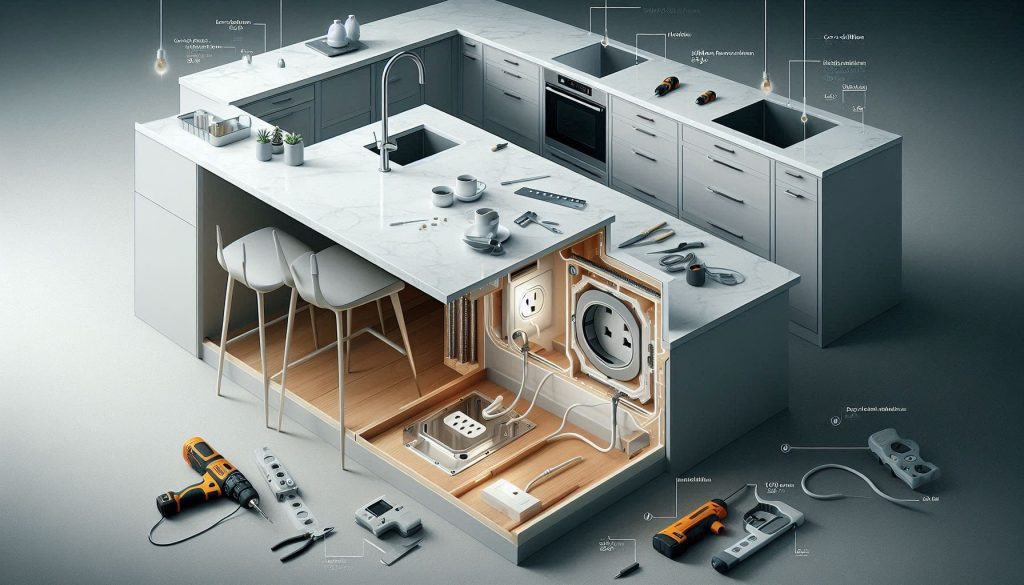
Comparing cost, installation effort, and retrofit feasibility of kitchen island outlets.
Countertop work: cutting or core-drilling stone/quartz $150–$600 depending on access and finish.
Electrician labor: $65–$150/hour; most installs take 1–4 hours.
Electrical upgrades: adding a new 20A circuit or relocating breakers $300–$900; professional GFCI/AFCI installation $100–$250.
Quick example: installing a motorized pop-up into quartz could be hardware $350 + fabricator cut $400 + electrician 2 hrs $250 = ≈$1,000.
Installation complexity — what to expect
New construction: easiest — island core is open, routing wiring and mounting boxes are straightforward.
Retrofit into finished islands: expect demolition to access the island core, plus countertop cutting that may require a stone fabricator and patching.
Wiring: you’ll need a dedicated 20A circuit for many island outlets if heavy appliances are used; routing cable through the island often requires drilling sleepers and grommets to protect conductors.
Integration: motorized units require room under counter for the mechanism; recessed strips need depth clearance and fastening brackets.
DIY vs. professional work
Reasonably DIY: plug-in under-counter strips mounted inside a cabinet; replacing a faceplate or installing a surface-mount pop-up into a laminate top (with care).
Require licensed pros: hardwiring devices, cutting stone countertops, adding circuits, or any work that impacts panel/breaker layout (permits may be required).
Warranty and lifecycle cost notes
Motorized pop-ups have moving parts—expect 1–5 year warranties; replacement mechanisms or faceplates can run $20–$150.
Hidden strips are often longer-lived and easier/cheaper to replace.
Factor in potential service calls for jammed pop-ups or water damage when calculating total cost of ownership.
Before you commit, get quotes that separate hardware, countertop fabrication, and electrical work so you can compare real-world totals and timelines.
6
Decision framework and recommended setups by use case
Use this compact decision rule: pick the option that best matches your primary priority—accessibility, minimal visual impact, or low maintenance/cost. Below are quick decision heuristics and then concrete, trade-ready recommendations for four common island types.
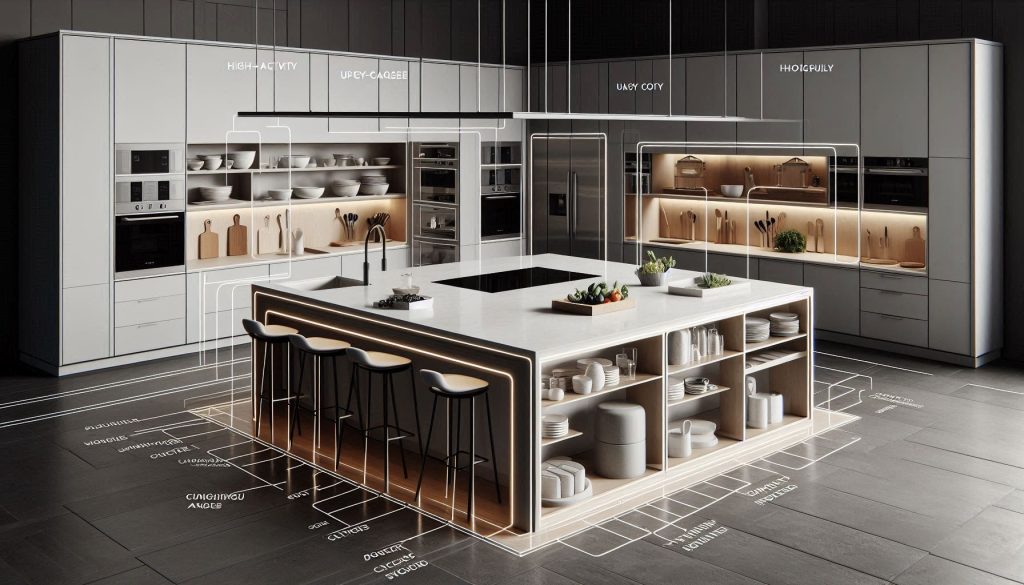
Choosing the right kitchen island outlet based on accessibility, aesthetics, and maintenance priorities.
Quick decision heuristics
Prioritize accessibility: choose pop-up (manual or motorized) or exposed under-counter outlets for fast, front-of-counter use.
Prioritize minimal visual impact: choose recessed/hidden strips, toe-kick outlets, or under-counter solutions with cable routing.
Prioritize low maintenance/cost: choose recessed or surface-mount strips that are simple to replace and have no moving parts.
How to apply it (3-step how-to)
Define primary use (prep, seating, charging, showpiece).
Match priority above and pick pop-up vs. hidden.
Confirm clearance, circuit capacity, and countertop cut feasibility before ordering.
Recommended setups by use case
High-activity prep island
Expected electrical layout:
2–4 duplex outlets (or 4–8 receptacles) distributed around the island.
At least one or two 20A small-appliance circuits; consider dedicated 20A for built-in cooktop appliances.
Cons: pop-ups need space under counter; moving parts add service risk.
Checklist:
Is there 8–12 in. under-counter clearance for a pop-up mechanism?
Will you add a dedicated 20A circuit for heavy equipment?
Choose models like Legrand Adorne pop-up or Bachmann units for durability.
Breakfast bar with seating
Expected electrical layout:
1–2 pop-up or side-mounted outlets at seating ends; consider toe-kick outlets for neatness.
Shared 15–20A circuit depending on loads.
Pros/Cons:
Pros: toe-kick/side outlets preserve aesthetics and legroom.
Cons: recessed strips at knee height can be awkward to access.
Checklist:
Measure knee clearance and seating overhang.
Confirm GFCI protection per code.
Media-ready island for device charging
Expected electrical layout:
1 pop-up with integrated USB-C/USB-A or a hidden recessed strip with USB ports.
Single 15A circuit is usually sufficient.
Pros/Cons:
Pros: recessed USB strips (Mockett, Hubbell) keep counters clean and provide fast charging.
Cons: fewer AC outlets for appliances.
Checklist:
Do you need fast-charge USB-C? Specify ports and amperage to electrician.
Ensure location keeps cables tidy and avoids spills.
Minimalist showpiece island
Expected electrical layout:
1 hidden in-cabinet outlet or toe-kick outlet; remote power strip inside island core.
Single 15A circuit unless appliances are added.
Pros/Cons:
Pros: maximum visual clean lines; low maintenance.
Cons: less immediate countertop access—good for display islands only.
Checklist:
Confirm interior access for a hidden strip and serviceability.
Specify recessed models (e.g., flush-mounted Hubbell/Mockett) to the fabricator.
With these clear configurations and checklists, you can brief your electrician and fabricator confidently and move to the final choice in the Conclusion section.
Making the right choice for your kitchen island
Choosing between pop-up and hidden outlets comes down to balancing your daily appliance and charging needs, safety/code requirements. Pop-up units give easy access and visible capacity for frequent use but require countertop cutouts and maintenance; hidden outlets keep lines cleaner and preserve uninterrupted surfaces while limiting simultaneous device use. Consider workflow, countertop material, and how often you need multiple high-draw outlets.
Three actionable next steps: audit the appliances and chargers you use at the island; consult a licensed electrician to verify circuit capacity, AFCI/GFCI requirements, and local code; and obtain installation quotes for your preferred configurations. That process will let you choose the option that fits your habits, budget, and safety needs.