
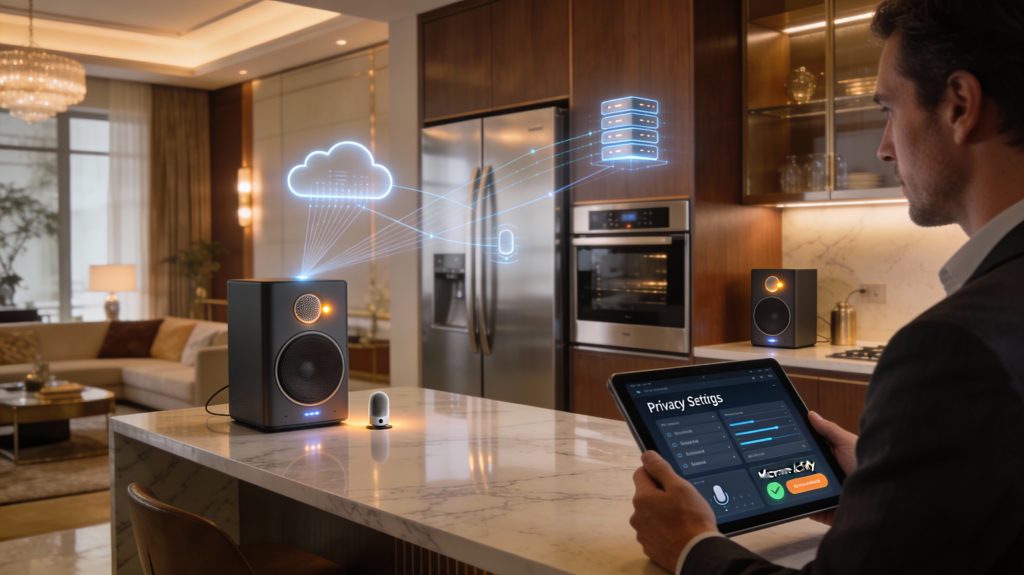
The dream of a “hands-free” home has filled our kitchens and living rooms with appliances that respond to our every whim, but this convenience comes with a nagging question: are these devices recording our private conversations? With recent surveys showing that 60% of consumers are worried about their smart devices “eavesdropping,” it is clear that the line between helpful assistant and digital spy feels increasingly thin. While these appliances are designed to wait for a specific wake-word, the presence of always-on microphones and cloud-connected sensors naturally triggers concerns about where that audio goes, who hears it, and how long it stays on a server.
In this guide, we strip away the marketing jargon to look at the actual hardware and software powering your smart home. From the technical mechanics of MEMS microphones and “acoustic beamforming” to the legal nuances of data retention policies, we explore how your voice data is captured, transmitted, and protected. Whether you are worried about accidental triggers or intentional data mining, understanding the technical and corporate reality of these devices is the first step toward reclaiming your domestic privacy. You will learn not only how these systems function but also the practical, high-impact steps you can take to enjoy a high-tech home without sacrificing your peace of mind.
Understanding the Concern: Are Your Conversations Being Recorded?
You buy smart appliances to make life easier, but a recent survey found 60% of people worry these devices are listening. That concern is real: microphones are built into many appliances and can be triggered by voice assistants or accidental noise.
You need clear facts about what microphones do, when audio stays on the device, and when it is sent to the cloud. You also need to know how companies may use voice data and what risks — like accidental recordings or breaches — could affect your privacy.
This article walks through the technical details, corporate practices, legal angles, and practical steps you can take to protect your conversations and make informed choices. You will get technical, legal, and practical guidance to help you decide which devices to trust and why.
How Smart Appliance Microphones Actually Work
What’s inside the mic
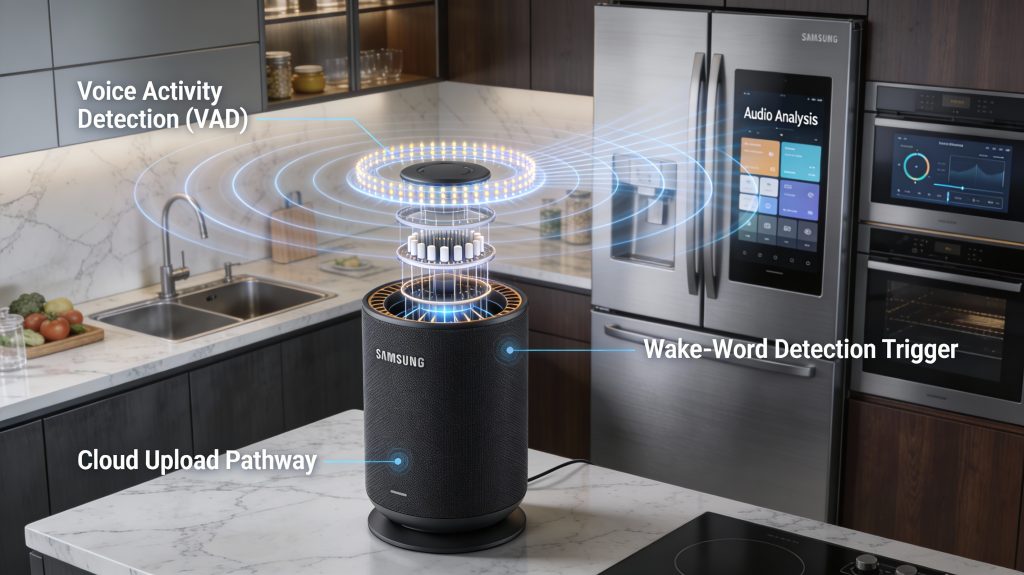
Most smart appliances use tiny MEMS microphones—the same silicon microphones found in smartphones—often arranged in a small array (2–8 mics). Arrays let the device do beamforming: the software aligns signals from each mic to amplify sounds coming from one direction (your voice) and suppress sounds from others (a running blender). Typical voice capture uses sampling around 8–16 kHz, which is optimized for human speech rather than music fidelity.
Example: a Google Nest Hub or Amazon Echo Dot uses a ring of MEMS mics; some smart fridges (e.g., Samsung Family Hub) embed one or two MEMS mics near the display.
How they tell silence from speech
Two layered systems decide what is “interesting” audio:
The combined VAD + keyword spotter reduces false triggers—yet imperfect thresholds and noisy environments can still cause accidental wake-ups.
Always-on vs event-based activation
Physical mute switches (hardware disconnects) cut power to the mic or disable the front-end DSP on many devices; check your model’s manual (e.g., Echo devices have a mic mute button that lights red).
Local signal processing vs cloud processing
On-device processing handles wake-word detection, beamforming, echo cancellation, and basic VAD. After wake, the full audio clip is typically sent to cloud servers for far more accurate speech recognition and intent parsing. However, newer devices (e.g., newer Nest Minis, some Echo updates) are increasingly capable of local processing for a subset of commands to reduce cloud dependency and latency.
Low-power firmware and wake-word models
Wake-word models are tiny (kilobytes to low megabytes) and run on low-power firmware in a DSP to preserve battery and reduce latency. Firmware updates can change sensitivity, add words, or change privacy behavior—so updates matter.
Practical tip: next you’ll learn when manufacturers actually send that audio off your device and why they do it.
When and Why Voice Data Is Sent Off the Device
Trigger conditions that send audio
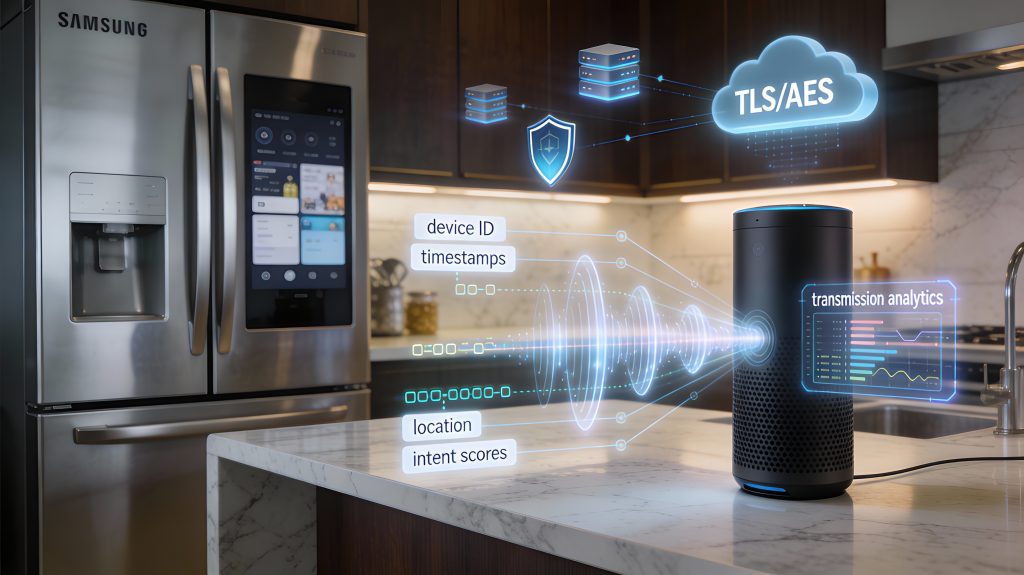
Audio typically leaves your appliance only after a clear trigger—there are a few common ones:
Practical example: if you use Echo’s “Drop In” or Nest’s “broadcast/intercom,” the device opens a continuous stream to another endpoint—clearly different from a single command recording.
Short audio snippets vs continuous streams
Not all transmitted audio looks the same:
If your appliance begins a continuous stream (e.g., Ring, Drop In), assume everything it hears in that session is transmitted.
What gets sent along with the audio (metadata)
When audio goes out, it’s rarely just raw sound. Common metadata includes:
This metadata speeds recognition and ties clips back to your account for history, troubleshooting, or personalization.
How audio travels: architectures, buffering, and security
Two common architectures:
Technical handling that affects privacy:
Why companies transmit voice off-device
Operational and business reasons include:
Actionable tip: where possible choose devices with local-processing modes, disable third-party skills you don’t use, and limit “always-on” features.
Next, you’ll learn exactly what companies collect from those uploads and how they use—or monetize—that data.
What Companies Collect and How They Use Voice Data
What types of information they may collect
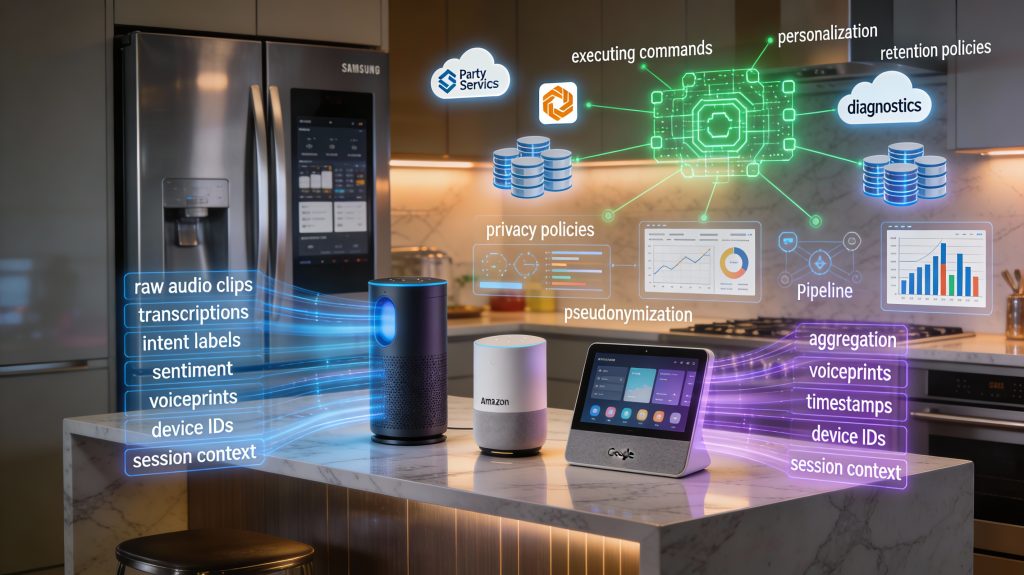
When your smart appliance sends voice data, companies often collect more than just audio. Typical items include:
Example: Alexa stores both audio and transcriptions tied to your Amazon account; Google Assistant keeps recordings viewable in My Activity unless you change settings.
Immediate, functional uses
Most collection is directly functional and user-facing:
Secondary uses and machine-learning
Companies also reuse voice data to improve systems:
Recall that in 2019 some vendors allowed contractors to listen to anonymized clips to assess assistant responses — a real-world example of human-in-the-loop training.
Monetization and business uses
Voice data can become a business asset:
Not every vendor uses voice for advertising; Apple emphasizes limiting ad use, while Google and Amazon have broader data-driven offerings.
Common data-handling practices
Vendors typically describe techniques such as:
Know the difference: pseudonymized data can often be re-linked to you; anonymized data cannot.
What to look for in privacy policies and consent flows
When deciding, check for clear answers about:
Next up: how these collection and handling choices translate into concrete risks — accidental recordings, breaches, and legal access — and what you can do about them.
Risks: Accidental Recordings, Data Breaches, and Legal Access
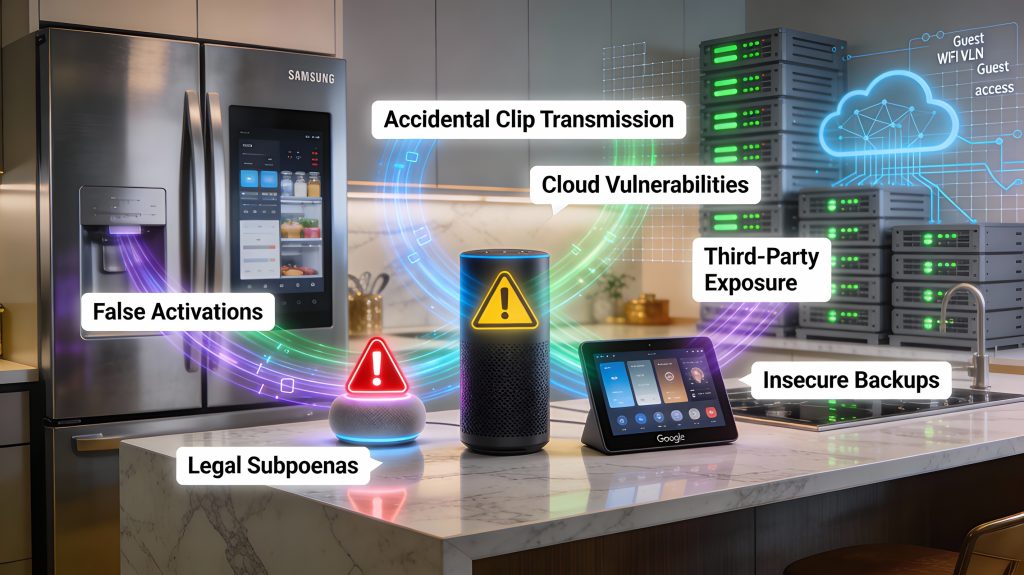
This section looks at the real-world hazards when appliances listen: unintended activations, technical and human failures that expose audio, and legal routes that can force companies to hand over recordings. You’ll get concrete examples and clear steps to reduce your risk.
Accidental activations and false positives
Wake words aren’t perfect. Echo Dots, Google Nest Minis, and Samsung Family Hub fridges have all shown that similar-sounding words or TV dialog can trigger recording. In one widely reported incident, an Amazon Echo recorded a private conversation and sent part of it to a contact — a reminder that false positives can produce meaningful, shareable clips.
What to do now:
Firmware, cloud vulnerabilities, and data breaches
Microphones are only one attack surface. Vulnerable firmware, exposed cloud APIs, or misconfigured storage can leak voice data. Ring and other IoT vendors have had credential leaks and unauthorized accesses; third-party transcription vendors and contractors have also historically accessed clips for quality review.
Actions you can take:
Insecure backups and third-party exposure
Backups, logs, and developer “skills” can broaden exposure. If a vendor stores transcripts in plain or weakly protected backups, a breach or a compromised third-party skill can surface audio tied to your account.
Practical steps:
Legal and government access
Voice data stored by vendors can be subject to subpoenas, warrants, or regulatory requests. Law enforcement has successfully obtained digital records from service providers in criminal investigations; civil suits and regulatory bodies can also compel data disclosure.
How to reduce legal exposure:
Why these risks aren’t binary
Encryption, access controls, and vendor transparency materially reduce risk, but they don’t eliminate it. End-to-end encryption for voice services is rare because server-side processing is required for functionality. Your best strategy is layered: limit what’s collected, isolate devices, enforce account security, and choose vendors whose practices match your privacy tolerance.
Next up: specific, practical steps you can take to protect your voice privacy.
Practical Steps You Can Take to Protect Your Voice Privacy
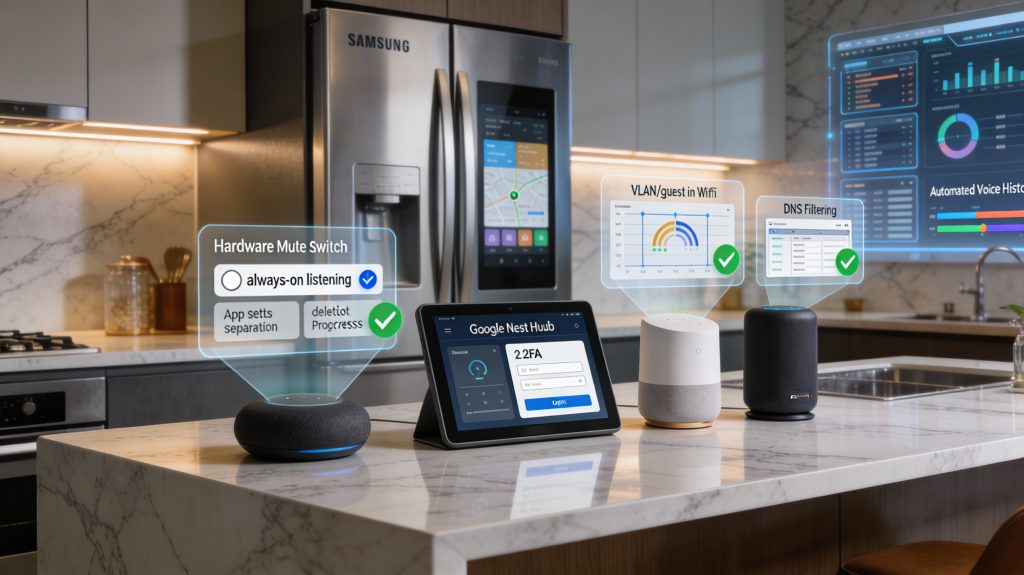
This checklist prioritizes high-impact controls you can apply today. Each item includes the likely trade-off so you can balance privacy vs convenience.
Device configuration: stop always-on listening
Trade-off: You’ll lose instant hands‑free convenience and some automations (intercom, voice routines).
Account hygiene: lock down access
Trade-off: Slightly longer sign‑in time; higher security prevents account takeover.
Network defenses: isolate and monitor
Trade-off: Some integrated features (streaming, cross-device control) may degrade or require manual exceptions.
Data control: review, delete, opt out
Trade-off: Deleting history can reduce personalized responses and limit troubleshooting by vendors.
Device selection: choose privacy-first hardware
Trade-off: Privacy-first and local-only solutions often require more setup and may lack polish or third‑party integrations.
Physical mitigations: simple, effective fixes
Trade-off: Physical methods are low‑tech but disable features and require discipline to re-enable.
Practical example: many families mute Echo devices at night and enable them only for morning routines, keeping convenience during the day while reducing overnight exposure.
Next: the article’s final section sums up how to choose the right privacy posture for your home and devices.
Bottom Line: Informed Choices Protect Your Privacy
You can expect smart appliances to listen for activation signals, and often to transmit short audio snippets when triggered, but continuous recording of private conversations is not the default for most well-designed products. By understanding device architectures, transmission triggers, corporate data practices, and legal access pathways, you can make practical choices—selecting devices with local processing, minimizing cloud dependencies, and adjusting settings or permissions to match your comfort level.
Regularly review privacy policies, apply firmware updates, and use network controls or physical microphone covers where possible. These steps let you retain control over your voice data while still enjoying smart features; informed configuration is the most effective safeguard. Review devices carefully before you buy.