

Living in an apartment with thin walls shouldn’t mean sacrificing a high-quality home theater experience. For apartment dwellers, finding the best soundbars is the first step toward striking that perfect balance between immersive audio and being a respectful neighbor. Standard TV speakers often sound tinny and muffled, but a high-powered subwoofer can send vibrations straight through floor joists, leading to noise complaints.
That’s why the best soundbars for apartments prioritize dialogue clarity and controlled low frequencies over raw, wall-shaking power. Experts agree that models engineered for small spaces deliver a wide soundstage without needing high volume levels — ideal for shared living environments. Whether you’re watching late-night movies or streaming a series, the right soundbar lets you enjoy rich, detailed audio while keeping the peace with your neighbors.
Best Soundbars for Apartment Living
This guide explores the best soundbars for apartment living — ones that prioritize midrange precision and advanced DSP over raw bass. We break down how sound travels through shared structures and highlight the essential features — night modes, beamforming technology, and dynamic range compression — that let you hear every whisper and explosion at a responsible volume.
Knowing which features actually matter in a shared living space — and which specs are overkill for a studio or one-bedroom apartment — is what separates a smart purchase from an expensive mistake. Whether you’re looking for a compact 2.0 system or a virtual surround setup, this buying framework will help you find a model that protects both your security deposit and your ears.
Why the Right Soundbar Matters When Your Walls Are Thin
Living in an apartment with thin walls forces you to rethink home audio. You want immersive movies, clear dialogue, and full-sounding music — but low-frequency energy travels through structures and disturbs neighbors. That’s why the best soundbars for apartments are designed with precise directional audio and low-frequency control in mind — giving you satisfying sound without blasting the building.
This guide breaks down how sound travels in apartments, which features reduce leakage, and practical placement and settings to keep bass under control. You’ll want to prioritize clarity and directionality, and use the buying framework here to identify truly apartment-friendly models. The goal is gear that protects relationships and delivers great sound — because you should never have to choose between being a good neighbor and enjoying a rich audio experience.
How Sound Travels Through Thin Walls and Why Bass Is the Problem

Airborne vs. structure-borne transmission: the two routes sound takes
When you turn up your TV, sound reaches a neighbor in two ways. Airborne sound moves through the air and leaks through gaps — these are typically the higher frequencies like dialogue and hiss. Structure-borne sound is what matters most in apartments: low-frequency energy couples into walls, floors, and joists and travels as vibration. That’s why a bass-heavy track or movie explosion can be felt in the next unit even when the midrange is barely audible, and why soundbars engineered with DSP controls and night modes make such a meaningful difference in shared living spaces.
Why low frequencies couple into building structure
Low frequencies — roughly below 100 Hz — have long wavelengths and more energy, which causes entire wall or floor panels to vibrate, effectively turning surfaces into speakers. According to the mass law of sound transmission, isolation improves with both frequency and panel mass, meaning thin drywall and light framing offer poor bass isolation. A 40–80 Hz tone can set a shared ceiling or stairwell vibrating, generating complaints long after the music stops.
Flanking paths and real-world trouble spots
Sound doesn’t need a perfect wall cavity to travel. Flanking paths — ducts, plumbing, electrical chases, and even light fixtures — let structure-borne energy bypass a partition’s nominal insulation. This is why many renters report quiet daytime playback but late-night rumble complaints: bass energy traveling through floor and ceiling joists and HVAC ducts, not airborne leakage through a wall crack. Soundbars with dedicated night modes and dynamic range compression address this directly, keeping late-night listening sessions peaceful for everyone in the building.
Room modes and standing waves amplify bass locally
Small rooms create resonances: standing waves boost specific frequencies depending on room dimensions. For example, in a 3 m deep room the first axial mode sits near 57 Hz — so that particular frequency will sound disproportionately loud and boomy. That means even modest low-frequency output from a compact soundbar or sub can become an oppressive vibration in your apartment.
This is why the best soundbars for small spaces include parametric EQ or room correction technology that identifies and tames these problem frequencies before they build up. Understanding your room’s acoustics is therefore just as important as the gear itself — and the best soundbars on the market are increasingly designed with this real-world challenge in mind, offering onboard calibration tools that adapt their output to your specific space.
What to take away (practical, immediate)
Next, we’ll look at the specific soundbar features and controls that let you apply these principles effectively.
Key Soundbar Features to Prioritize for Thin-Walled Apartments

When shopping for the best soundbars, prioritize technologies and specifications that reduce leakage and improve perceived loudness without heavy bass. Below are the features that matter most, why they help in a thin-walled apartment, and how to weigh them against size, power, and price — a practical framework to ensure the best soundbars you consider are genuinely suited to shared living environments rather than open-plan homes or dedicated theater rooms.
Directionality and beamforming
Choose soundbars with controlled directivity or beamforming that steer sound toward your primary listening spot and away from shared walls. This reduces energy hitting partitions and lowers airborne leakage.
Midrange clarity and dedicated center channels
Clear voices let you keep volume moderate. A strong center channel or explicit voice-enhancement modes boost perceived loudness without increasing low-frequency energy.
Dynamic range control / night modes
Dynamic range compression flattens loud peaks and tames boomy explosions that travel through structure. Night modes reduce sub-bass and limit transients.
Room calibration and automatic EQ
Automatic room correction (e.g., Audyssey, Trueplay-like systems) measures your room and reduces problematic resonances—useful for cancelling modal peaks that excite walls.
Bass management: cutoffs, adjustable sub level, phase control
Fine bass control is essential: you want to limit energy below ~60–80 Hz where structure coupling is strongest.
Subwoofer choices: built-in vs. small satellite subs
Prefer built-in small subs or compact satellite subs over large external subwoofers. Big subs move more air and transfer more vibration into the building structure.
App-based EQ, volume limiters, and private listening
Apps that give you EQ control and hard volume limits are invaluable for preventing accidental overnight blasting. Wireless headphone passthrough and support for low-latency codecs (aptX LL, LC3) let you listen privately when needed.
How to weigh these features: if you live in a studio, prioritize dialogue clarity, beamforming, and strong bass management over raw power. If you share walls, trade big low-end for smarter processing and control — qualities that define the best soundbars built specifically for apartment living.
Next, we’ll examine which soundbar types and configurations best match these priorities, helping you narrow down the best soundbars that align with your room size, wall sensitivity, and listening habits.
Soundbar Types and Configurations: Which Are Best for Apartments

Not all soundbar systems are equally suited for thin-walled living. When evaluating the best soundbars for apartment use, configuration matters just as much as brand or price point. Below you’ll find how common configurations behave in apartments and practical choices that let you enjoy clear, immersive sound without rattling your neighbor’s ceiling — a key distinction that separates truly apartment-friendly options from the rest of the best soundbars available on the market today.
2.0 / 2.1 stereo bars — the safest, often best choice
These compact bars focus on midrange and treble clarity with limited low-end output. When you want TV dialogue, podcasts, and music without structure-borne bass, a tuned 2.0 or 2.1 is ideal.
3.1 / 5.1 virtual surround — immersion without heavy subs
Virtual surround processing can widen the soundstage and create convincing directionality without additional low-frequency energy from physical surrounds.
Soundbars with wireless subwoofers — proceed with caution
Wireless subs are convenient, but many are ported and powerful—exactly what couples or neighbors dislike. If you prefer a sub:
Small multi-driver beamforming systems
These use multiple drivers to steer sound precisely. In apartments, they can be excellent — and among the best soundbars in this category, you get perceived loudness and clarity at lower SPLs, so you don’t need to push bass.
Quick actionable checklist
Next, we’ll cover concrete placement and acoustic tricks that further reduce leakage while preserving sound quality.
Practical Acoustic Strategies and Placement to Reduce Leakage
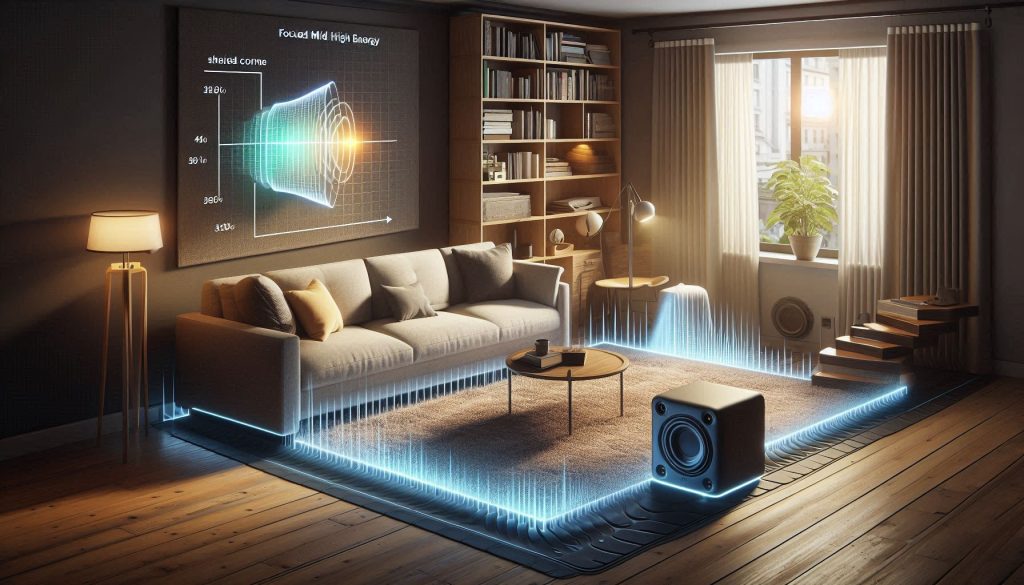
Pick your wall and avoid direct coupling
Whenever possible, place your soundbar against an interior wall rather than one shared with neighbors. If a shared wall is the only option, keep both the soundbar and any subwoofer off that surface — avoid mounting the sub against a party wall. In real-world tests, moving a subwoofer just 15–30 cm away from a corner often cuts low-frequency boundary gain noticeably.
Decouple the gear from structures
Vibration is the main way bass travels through buildings. Decouple to interrupt that path:
Mind distance and angling
A few inches change perceived bass and directivity:
Rental-friendly room treatments
You don’t need construction work to help:
Measure before and after
Use simple tools to target problem frequencies:
These placement and treatment moves are the practical first line of defense; next we’ll cover daily settings and habits — EQ, modes, and volume practices — that keep sound quality high while minimizing neighbor complaints.
Settings, Modes, and Daily Habits That Keep Neighbors Happy

Use “night” and dialogue modes first
When listening later than usual, engage Night mode or dynamic range compression — standard features on models from Sonos, Sony, Yamaha, and Samsung. These modes reduce extreme peaks and lift dialogue so you hear everything clearly without raising the overall volume. Enabling Speech or Dialogue Enhancement emphasizes the midrange, reducing the need to push volume just to follow conversation — one of the most underrated settings for shared living environments.
Cut the bass the smart way (EQ and DSP)
Low frequencies are the main culprit for transmission. In your soundbar app or onboard EQ:
This reduces transmitted bass while keeping perceived fullness from mids. Many compact systems (e.g., Beam-class bars) respond well to a -6 to -12 dB change in those sub-bands.
Set hard volume limits and schedule them
Locking maximum volume prevents accidental overload during late-night sessions. Options:
A scheduled cap avoids late-night surprises and is simple to maintain.
Switch to headphones and prefer close-field listening
When you absolutely must go loud, use headphones — the Sony WH-1000XM5, Apple AirPods Max, or a gaming headset are all solid options. For speakers, try sitting closer: halving the distance gives roughly a 6 dB increase at your ear, allowing you to drop the output accordingly. Close-field listening is the most neighbor-friendly way to enjoy more detail without transmitting more energy through your walls.
Measure and validate your changes
Don’t guess — measure. Use an SPL meter app or cheap handheld meter to check:
Aim to reduce peaks at the shared surface (especially below 120 Hz). Use these readings to set your max volume and EQ so you actually lower transmitted energy.
Next up: a practical buying framework and minimum specs that make those settings and habits easier to follow.
A Buying Framework: Categories and Minimum Specs for Apartment-Friendly Soundbars

When shopping, think in terms of categories that match how you live — not a single “best” model. Below are five practical buckets, each with minimum specs to look for and the real-world trade-offs to expect.
Compact clarity bar — best for speech and small rooms (2.0–2.1)
Small living room, lots of dialogue-heavy TV, upstairs neighbors who complain about rumble.
Minimum recommended features:
Trade-offs:
Immersive but neighbor-aware — 3.1 / virtual surround with strict bass control
You want Atmos-style space but won’t tolerate rumble through shared walls.
Minimum recommended features:
Trade-offs:
Bass-minimized music bar — perceived low end without LF output
You listen to music but must avoid structural bass.
Minimum recommended features:
Trade-offs:
Headphone-first hybrid — private late-night listening
You want top fidelity after hours without bothering anyone.
Minimum recommended features:
Trade-offs:
Budget apartment option — compact and controllable
You need affordability plus basic neighbor-friendly controls.
Minimum recommended features:
Trade-offs:
Use this framework to match your tolerance for bass, desire for immersion, and nightly habits before you buy from the best soundbars available in each category — then move to the final balancing tips in the Conclusion.
Balancing Sound Quality and Neighbor Consideration
Choosing a soundbar for thin-walled apartments means prioritizing clarity, directionality, and low-frequency control over raw loudness. Look for targeted drivers, adjustable crossover and DSP, and position the unit to reduce transmission while preserving detail. The right model gives you precise EQ, low-pass limits, and smart DSP tools to tame bass peaks without sacrificing richness. Follow the buying framework and data checks to evaluate your options — because the best setup is one that delivers full, immersive audio while keeping every neighbor in the building satisfied.