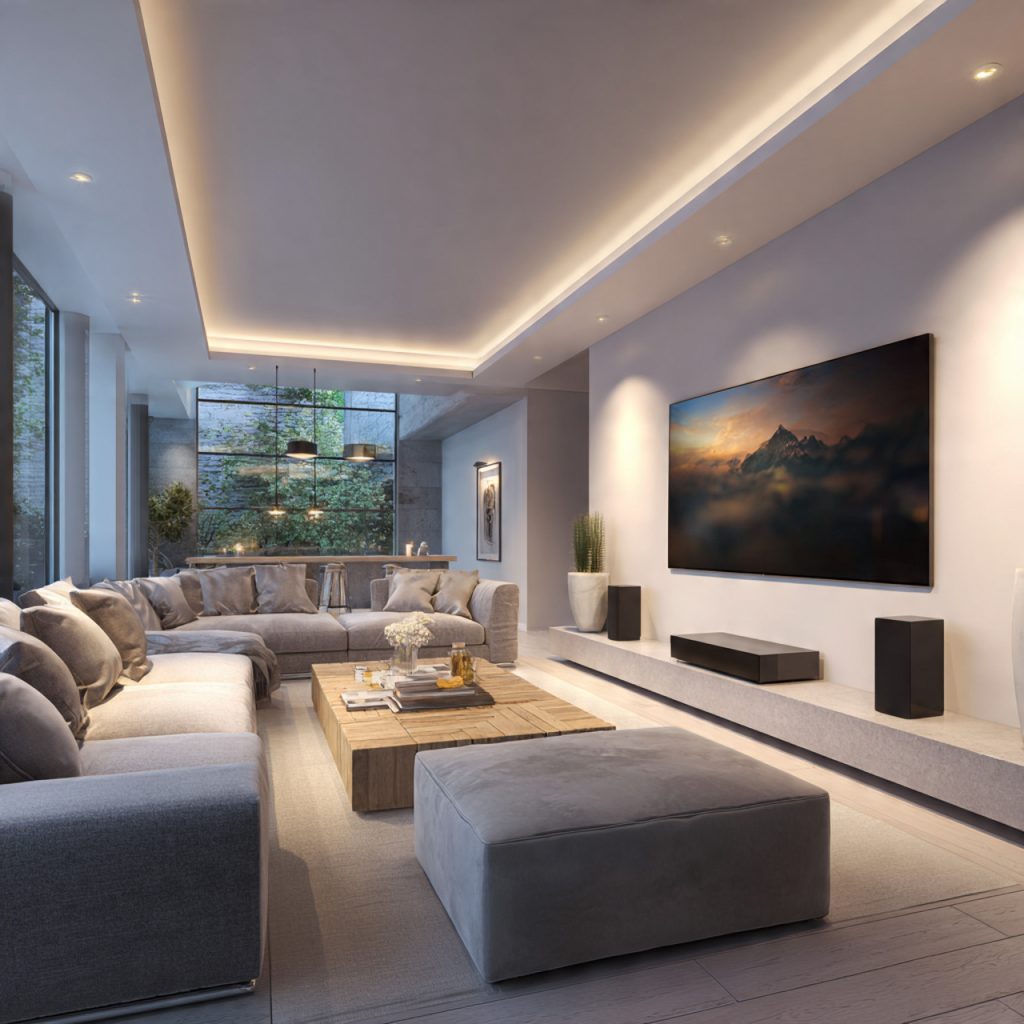
How to Use This Guide to Choose the Right Home Entertainment System
Are you building a system that fits your space, habits, and budget? This guide helps you compare TV/video, audio, streaming, and smart-home integration using measurable criteria. You will see clear definitions for common terms (resolution, HDR, channels, latency) and a consistent decision framework: functional requirements, technical specifications, room and budget constraints, and upgradeability. Use these axes to score options objectively rather than rely on marketing claims.
Each main section translates that framework into practical steps. Expect actionable advice on matching features to viewing habits, core components and trade-offs, system types, room planning and calibration, budgeting priorities, and future-proofing choices. Read the sections that match your priorities, apply the measurable checks, and make a purchase decision that fits your living space and long-term needs. Keep notes on your priorities and measure rooms before buying to ensure proper fit today.
1
Define Your Goals: How to Match System Capabilities to Your Habits and Space
Start by measuring your habits
Quantify use before shopping. Record for one week:
hours per day / week spent on streaming, cable, gaming, movies, and music
percent split of content types (dialog-heavy, action, orchestral music, EDM)
typical listening levels (casual conversation ~60–65 dB, TV average ~70–80 dB, movie peaks 90–95 dB)
This turns vague preferences into targets (e.g., “I watch 10 hrs/wk, 60% movies, want 95 dB peaks”).
Convert priorities into technical targets
Use simple decision rules to map needs to specs:
Display: for living rooms 8–12 ft, choose 65″–85″ for immersive viewing; 4K is minimum for 65″+. For close gaming/desks, consider 27″–32″ 1440p/4K monitors.
Audio SPL & headroom: aim for average listening 75–85 dB with peak headroom +10–15 dB (peaks to 95 dB) to avoid distortion.
Bass/frequency response: music/impactful movies benefit from subwoofer extension to 25–40 Hz; accurate music listening benefits from a flat 20 Hz–20 kHz response within ±3 dB.
Example products to illustrate fit: a Sonos Arc or Samsung HW-Q990C for polished dialogue and moderate room SPL; KEF LS50 Meta + SVS SB-1000 for critical stereo listening with deep sub-bass.
Account for room and seating geometry
Room size, shape, seating locations, and ambient noise change expectations:
Small rooms (<150 sq ft): compact speakers or soundbar with subwoofer work well.
Medium to large rooms: prioritize speaker power, subwoofer output, and multiple listening positions.
Ambient noise (appliances, street): add 3–6 dB headroom or consider more sensitive speakers.
Seating layout: for stereo, form an equilateral triangle; for 5.1, place surrounds at 100–120° and center at ear height.
Quick checklist to finalize targets
Hours/week and content mix
Desired peak & average SPL
Display size + resolution
Latency limit for gaming
Bass extension / frequency goals
Room type and ambient noise level
Next, you’ll translate these targets into component choices—how displays, speakers, sources, and controllers meet the spec you just created.
2
Core Components Explained: Displays, Audio, Sources, and Control
You’ve set targets — now match them to components. Below is a concise, neutral primer on what each major part does, the specs that matter, and how to read spec sheets so you buy for real-world performance, not marketing.
Displays: panels, HDR, resolution, and brightness
Panel types: OLED (true blacks, infinite contrast — e.g., LG C3), QD-OLED (richer color, high peak brightness — e.g., Samsung S95C), LED-LCD (bright rooms, lower native contrast), Mini‑LED (improved local dimming, high brightness — e.g., Sony X95L).
Key numbers:
Resolution & pixel density: 4K is baseline for 55″+; pixel density matters most when you sit close.
Brightness (nits): HDR benefits from 600–1000+ nits for punch; OLEDs trade peak nits for perfect blacks.
Contrast/black level: look for ANSI contrast or OLED’s absolute-black advantage.
Input lag (ms): ≤20 ms for competitive gaming; ≤40 ms for casual.
HDR formats: HDR10 (baseline), Dolby Vision and HDR10+ (dynamic metadata). Prefer players/TVs supporting the formats your content uses.
Power ratings: watts/channel (note measurement conditions — RMS at 8Ω, specified THD).
THD (total harmonic distortion): <0.5% is audible threshold; <0.1% is clean.
SNR (signal-to-noise ratio): higher is better; >90 dB is good for quiet background noise.
Speaker sensitivity (dB @1W/1m): affects loudness per watt; combine with power to estimate SPL.
Frequency response: look for subwoofer extension (25–40 Hz for movies).
Real-world tip: a high-watt amp + inefficient speakers can outperform a high-rated amp + sensitive monitors depending on room and headroom.
Source devices: streaming, disc, and gaming
Streaming players (Apple TV 4K, Roku Ultra): check HDMI bandwidth, codec support (HEVC, AV1), HDR support (Dolby Vision).
Blu-ray / Ultra HD players: top bitrate, true 4K HDR, robust disc menus and audio passthrough.
Consoles (PS5, Xbox Series X): 4K/120Hz support, VRR, low input lag.
Specs to read: HDMI version/bandwidth (HDMI 2.0 = 18 Gbps, HDMI 2.1 = 48 Gbps), supported audio codecs, max bitrate/framerate.
Control hubs: receivers, processors, and integrations
AV receivers/processors: look at power/channel at rated THD, HDMI inputs/outputs and version, pre-outs, room correction (Audyssey, Dirac), and supported immersive codecs.
Smart home: Ethernet/Wi‑Fi, voice assistants, app control, and IR/CEC compatibility.
Interpretation tip: don’t chase raw wattage — check continuous power at realistic THD, the number of quality pre-outs for future subs, and HDMI bandwidth for 4K/120 or 8K workflows.
Next, you’ll use these component understandings to decide which system type (soundbar, full component, projector, or all‑in‑one) best matches your targets and room.
3
System Types and When to Choose Them: Soundbars, Component Systems, Projectors, and All-in-One Solutions
Soundbars: compact, simple, but limited imaging
Soundbars are the fastest way to upgrade TV sound. They excel in small living rooms where wiring and speaker placement are impractical.
Choose a soundbar when:
You sit relatively close (<12 ft) and want minimal installation.
You tolerate less precise stereo/spatial imaging and limited low‑end extension.
You prefer built‑in streaming, voice assistants, and simple app control.
Examples: Sonos Arc (great ecosystem, room tuning), Sennheiser Ambeo (best imaging for a single unit), Bose Smart Soundbar 900 (convenience).
Mix a compact AVR or soundbar with wireless surrounds or add a subwoofer later — this balances convenience and performance. If you’re unsure, start with a soundbar that supports preouts or an AVR with streaming to keep upgrade paths open.
4
Planning and Setup: Room Acoustics, Speaker Placement, Wiring, and Calibration
This practical section walks you through reproducible, data‑informed steps to extract real-world performance after purchase.
Measure the room first
Start with data, not guesswork.
Measure room dimensions and note parallel surfaces.
Use a measurement mic (e.g., miniDSP UMIK‑1) and REW software to capture frequency response and RT60.
Find first‑reflection points with the mirror method: have a partner move a mirror along the walls until you see a speaker from your listening position.
Apply focused acoustic treatment
Treat problem areas, not every surface.
Place bass traps in corners; broadband panels at reflection points; a rug and heavy curtains reduce high‑frequency flutter.
Example products: GIK Acoustics 242 panels, Auralex LENRD bass traps for rental setups.
Speaker placement for imaging and bass
Follow proven geometry.
Front mains form an equilateral triangle with your seat; toe‑in for precise imaging.
Center channel at ear height or angled toward ears; surrounds slightly above ear level (20–30 cm).
For subs, test the “sub crawl”: place sub at listening position, crawl to walls to find strongest spots, then move sub there.
If you have multiple subs, stagger placement to smooth room modes.
Wiring and mounting best practices
Keep signal and power clean.
Use HDMI 2.1 cables for 4K/120Hz; keep passive HDMI under ~10 m or use active/optical extenders.
Speaker wire: 16 AWG for runs <50 ft, 14 AWG for longer. Maintain correct polarity (+/+) and consistent impedance matching to your AVR.
Power: plug AV gear into a surge protector or UPS; avoid daisy‑chaining high-draw devices on the same circuit.
Mount TV so center is at eye level; ensure speaker mounts are solid and decoupled from structure to reduce vibration.
Calibration: automatic first, manual refine
Combine speed with precision.
Run your AVR’s auto‑EQ (Audyssey, Dirac, YPAO) for time alignment, levels, and a baseline EQ.
Then use measurements to manually adjust center level, sub crossover/phase, and smoothing to address dips/peaks.
Prioritized setup checklist
Measure room and locate reflections.
Place mains/subs and run “sub crawl.”
Apply minimal acoustic treatment at reflection points and corners.
Route HDMI/power cleanly; verify polarity and gauge.
Run auto‑calibration; measure and fine‑tune.
Test with familiar content (dialogue, bass test tones).
Quick troubleshooting
Dialogue muffled: raise center level, check center speaker phase, tame front wall reflections.
Premium: incremental refinements, build quality, and advanced features — TVs >$2,500, speakers >$3,000, AVRs >$1,200.
Diminishing returns: once you reach midrange, each extra dollar nets smaller perceptual gains. In practice, spending $500–$1,500 on room treatment and a sub often delivers more audible improvement than doubling speaker costs in an untreated room.
Total cost of ownership — budget the invisible items
Possible electrician work for dedicated circuits or recessed wiring.
Extended warranties or service plans for high-cost items.
A realistic buffer is 10–25% of component cost for these add-ons.
Smart buying tactics
Use data-driven methods to avoid buyer’s remorse:
Read reviews that include measurements (frequency response, distortion) and real-room demos.
Prefer consensus across multiple reputable reviewers over single enthusiastic pieces.
Expect standard warranties of 1–3 years; check return windows (30–90 days).
Beware high-priced “audiophile” cables and accessories that offer little measurable benefit.
When to hire a pro
Professional design/installation is cost-effective when:
You’re building in-wall/ceilings speakers or a dedicated home theater.
The room is acoustically complex, or you require calibrated reference sound.
You value time savings and guarantee of performance.
Next, you’ll learn how to ensure your purchases remain compatible and upgradeable as formats and devices evolve.
6
Compatibility, Upgradability, and Future-Proofing Your System
This section helps you minimize obsolescence and maximize long-term utility by prioritizing standards, choosing modular components, and avoiding common compatibility traps.
Key interoperability standards to prioritize
Focus on features that affect everyday use and upgrade paths:
HDMI 2.1 (48 Gbps bandwidth where possible) for 4K120/VR and headroom; ensure TVs/AVRs/PS5/Series X use compatible HDMI versions.
eARC for full, lossless object‑based audio (Dolby TrueHD/Atmos, DTS‑HD MA/DTS:X) passthrough from TV apps to your AVR/soundbar.
HDR codecs: HDR10 required, plus Dolby Vision and HDR10+ if you want broader streaming/BD compatibility.
Network/streaming protocols: AirPlay 2, Chromecast, Spotify Connect, and Roon compatibility for flexible multiroom and hi‑res streaming.
Voice ecosystems: pick the assistant (Alexa, Google, HomeKit/Siri) you already use; full integration reduces friction.
Build modularly so single upgrades suffice
Design so you can replace one element without redesigning the system:
Use discrete AV receivers or preamp/processors with pre-outs rather than integrated all‑in‑one units.
Choose speakers with standard binding posts and passive designs; add an external amp later if needed.
Prefer TVs with multiple HDMI 2.1 inputs to avoid swapping the display when adding new sources.
Keep networked sources (Chromecast/Apple TV/streaming sticks) separate from display OS to avoid being tied to a TV’s firmware.
Example: a midrange AVR (many Denon/Marantz/Yamaha models) plus passive speakers lets you upgrade amps, add Atmos modules, or swap speakers without touching the TV.
Common compatibility pitfalls to avoid
Watch for things that create future lock‑in:
Proprietary wireless ecosystems (some wireless rear/satellite speakers) that don’t interoperate with rival brands.
Limited HDMI inputs or older chipset TVs that won’t get firmware updates for new codecs.
Vendors with poor firmware/update policies — check support history and community reports before buying.
Standard network protocols (AirPlay 2/Chromecast/Spotify Connect).
Expansion options (pre-outs, extra zones, modular speaker add‑ons).
With these checks and a modular plan, you’ll balance today’s performance with tomorrow’s needs — next, the Conclusion walks you through a practical roadmap to buying and setting up your system.
Putting It Together: A Practical Roadmap to Buying and Setting Up Your System
Define your needs, measure your room, and set realistic budget limits. Select components using measurable criteria — display resolution/contrast, speaker frequency response/sensitivity, amplifier power, and source bitrates. Plan wiring and speaker placement before purchase, and prioritize upgrades that most affect perceived quality (room treatment, speaker quality, viewable contrast). When comparing options use objective metrics and controlled listening/viewing tests rather than impressions alone.
Start with a simple setup, calibrate carefully, then iterate: incremental upgrades deliver measurable benefits without unnecessary expense. Take data-driven measurements as you refine over time consistently.
Essential cookies enable basic functions and are necessary for the proper function of the website.
Name
Description
Duration
Cookie Preferences
This cookie is used to store the user's cookie consent preferences.
30 days
These cookies are needed for adding comments on this website.
Name
Description
Duration
comment_author_email
Used to track the user across multiple sessions.
Session
comment_author_url
Used to track the user across multiple sessions.
Session
comment_author
Used to track the user across multiple sessions.
Session
Statistics cookies collect information anonymously. This information helps us understand how visitors use our website.
SourceBuster is used by WooCommerce for order attribution based on user source.
Name
Description
Duration
sbjs_udata
Information about the visitor’s user agent, such as IP, the browser, and the device type
session
sbjs_first
Traffic origin information for the visitor’s first visit to your store (only applicable if the visitor returns before the session expires)
session
sbjs_current
Traffic origin information for the visitor’s current visit to your store
session
sbjs_first_add
Timestamp, referring URL, and entry page for your visitor’s first visit to your store (only applicable if the visitor returns before the session expires)
session
sbjs_current_add
Timestamp, referring URL, and entry page for your visitor’s current visit to your store
session
sbjs_migrations
Technical data to help with migrations between different versions of the tracking feature
session
sbjs_session
The number of page views in this session and the current page path